This is a lottery exclusively for one room members, which can only be drawn near the live venue on the day of the performance.
For each performance, Gold Key (annual membership) members can participate twice, and Silver Key (monthly membership) members can participate once.
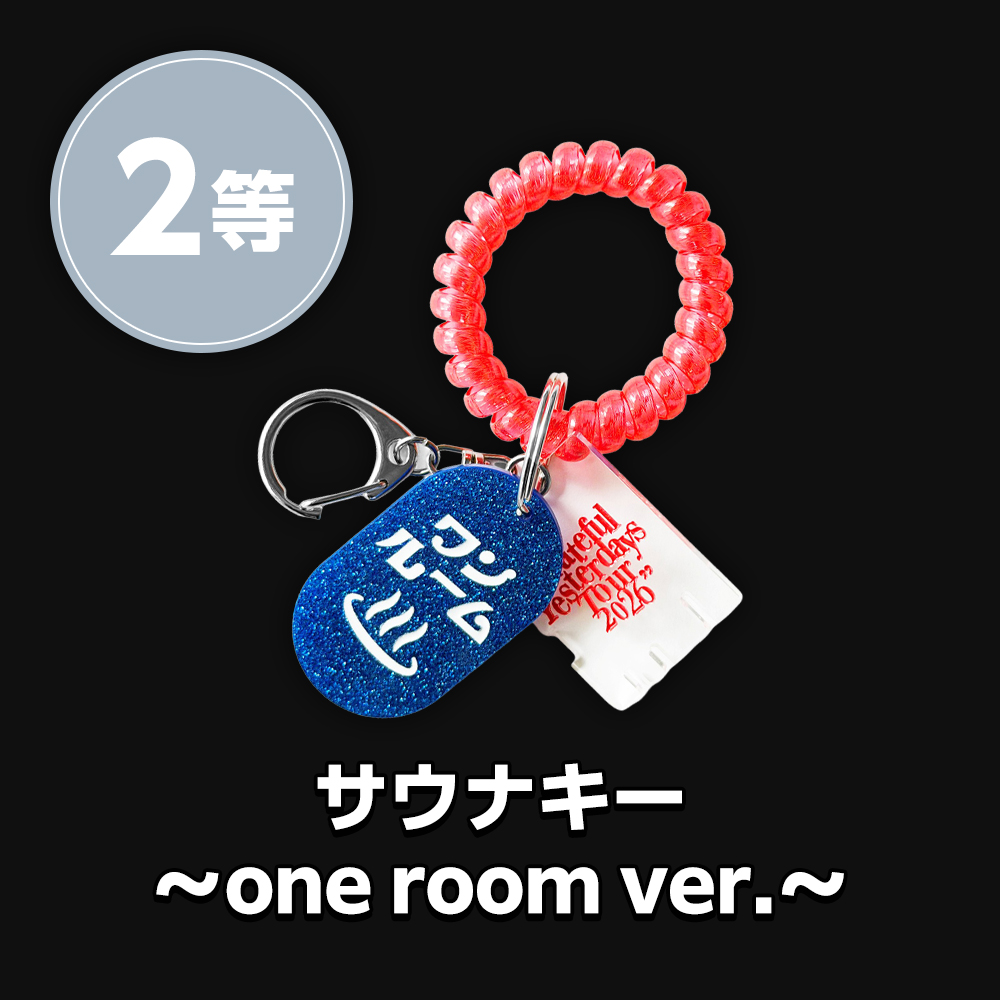
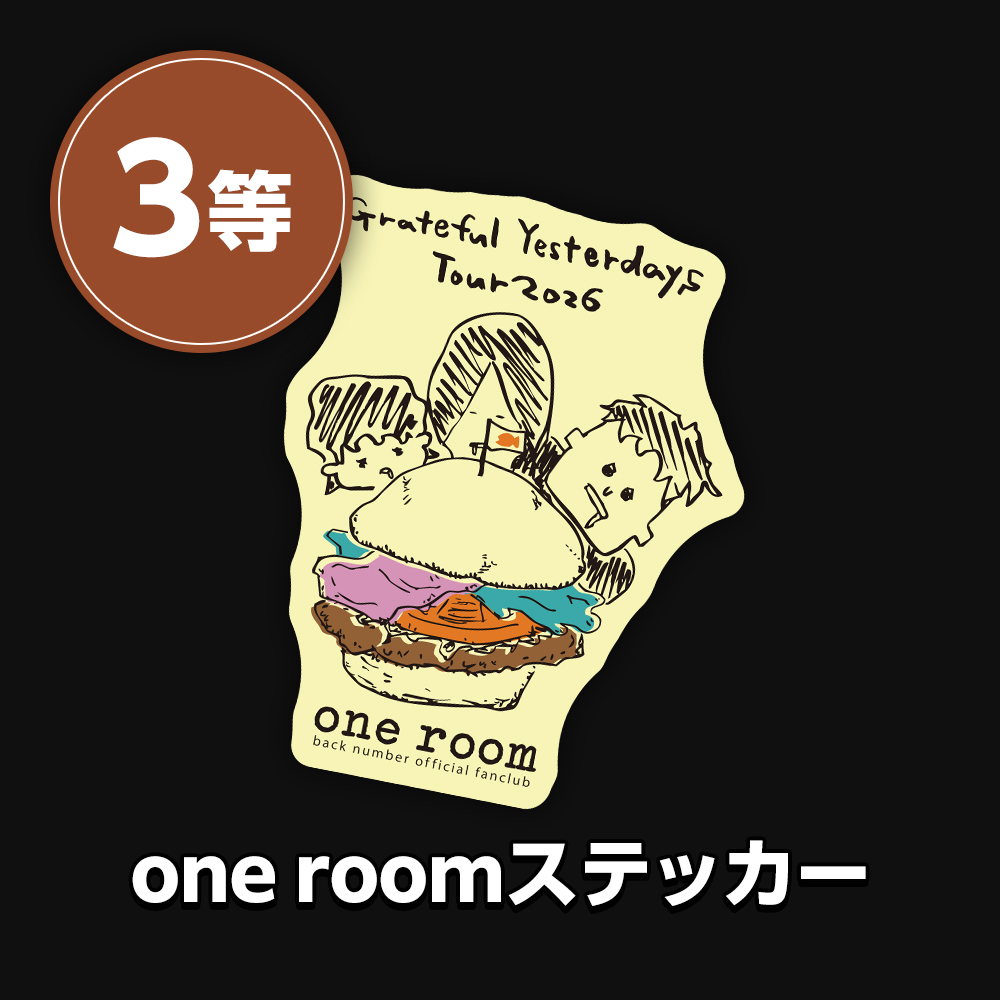
The prize displayed on the results page will be given to you on the spot that same day!
Click here to participate in the lottery.
*Please tap the button.
Event time: From 9:00 AM until the start of each performance.
Redemption time: From 10:00 AM to 30 minutes after the start of each performance.
- You can participate in the lottery from within a GPS range of approximately 10km radius from each venue by clicking on "[Participate in the lottery here]".
- Due to congestion on the day of the performance, there is a possibility that the radio waves around the venue may become unstable.
You can participate in the lottery from near the venue, as well as from the main train stations and shuttle bus stops at each venue, so we ask for your cooperation in taking part in the lottery before arriving at the venue.

- 1. Tap the "Participate in the lottery here" button above during the event hours to participate in one room lottery.
*Please check if the GPS function on your device is turned on. - 2. After successful GPS check-in, a "Draw a Lottery Ticket" button will appear. Tap this button. The lottery results screen will be displayed.
- Gold Key (annual): 2 times
- Silver Key (monthly): 1 time
- *You can participate even if you become a member on the day of the performance.
- Fan club booth
- *Please check the venue map for details on each venue.
- Prize redemption will be limited to those who come to the respective venue on the day of the event.
- Prizes can only be redeemed by the winner themselves. Prize redemption by a representative is not permitted.
- Please save the 4th prize "stamp-style image (9 types, random)" on the same day.
- Due to the expected heavy crowds on the day of the performance, the venue's signal may become unstable. We kindly ask for your cooperation in taking the lottery before arriving at the venue.
- Resale or transfer of prizes won to a third party is prohibited.
- Please use one of our recommended browsers (Safari or Chrome).
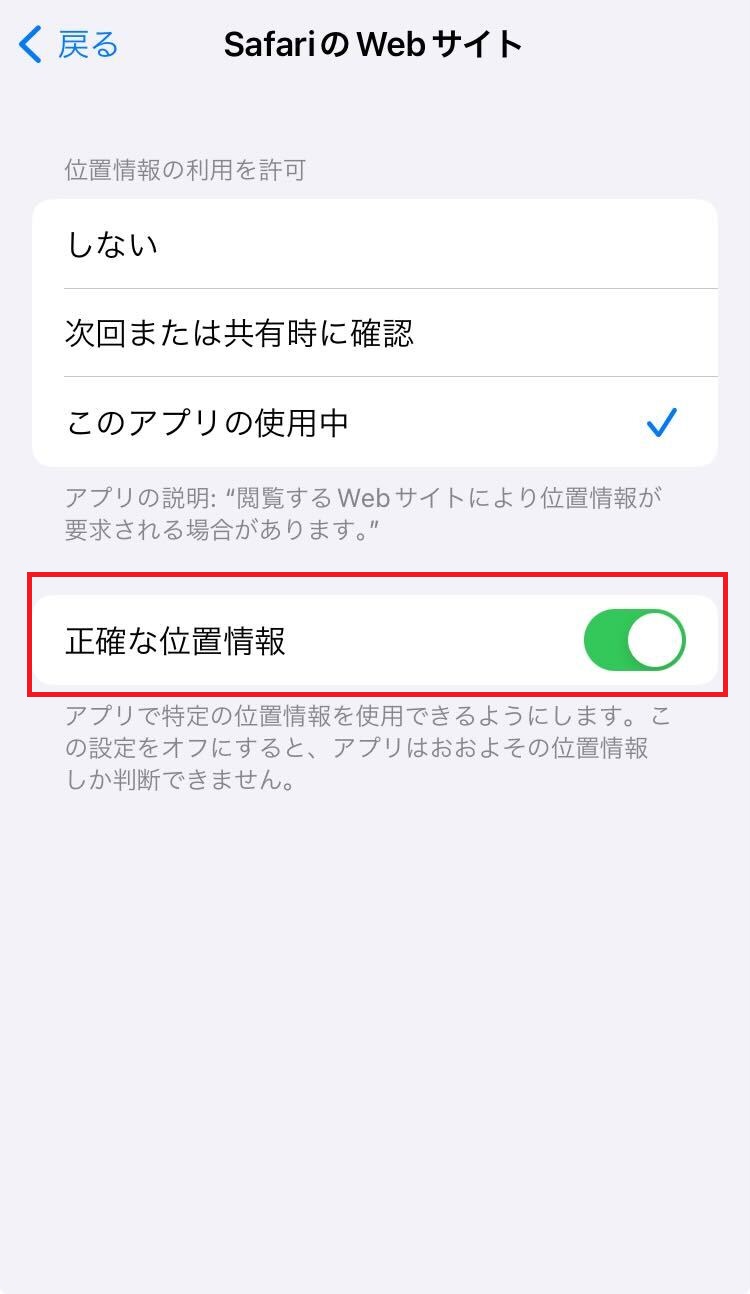
- Please enable location services on your smartphone to participate.
Click here to participate in the lottery.
*Please tap the button.
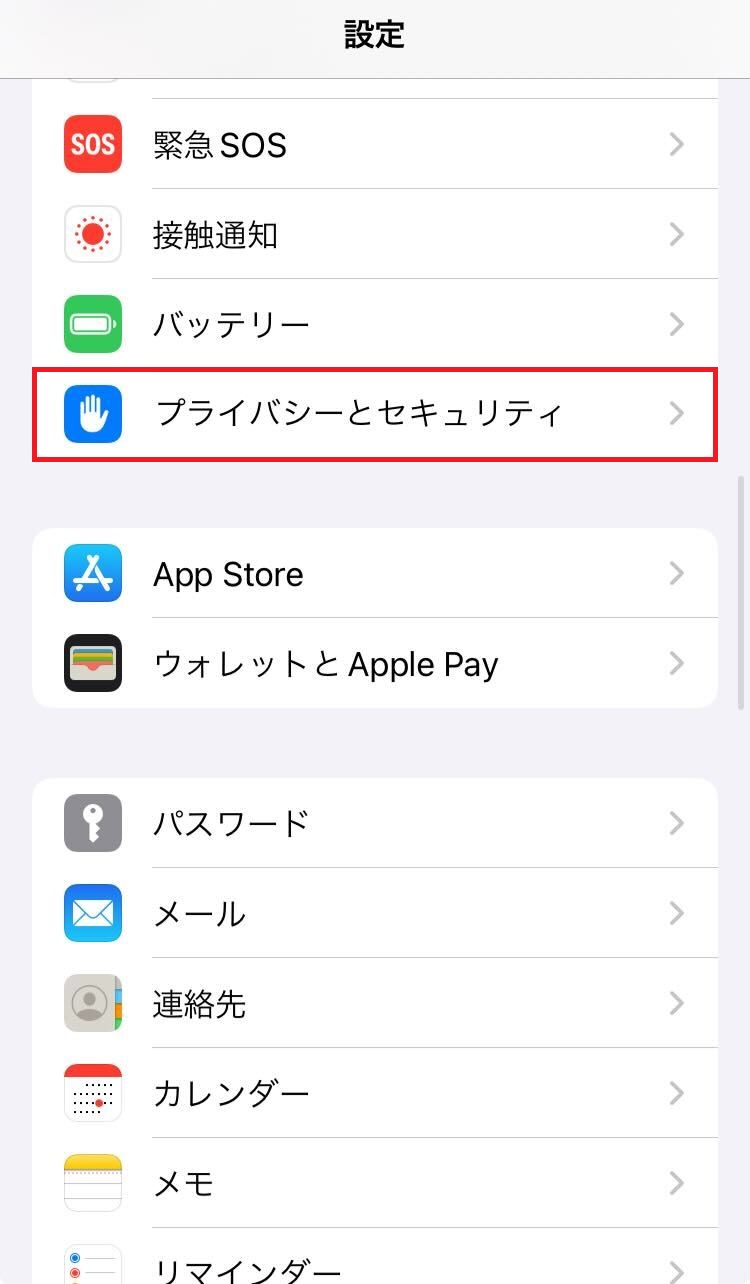
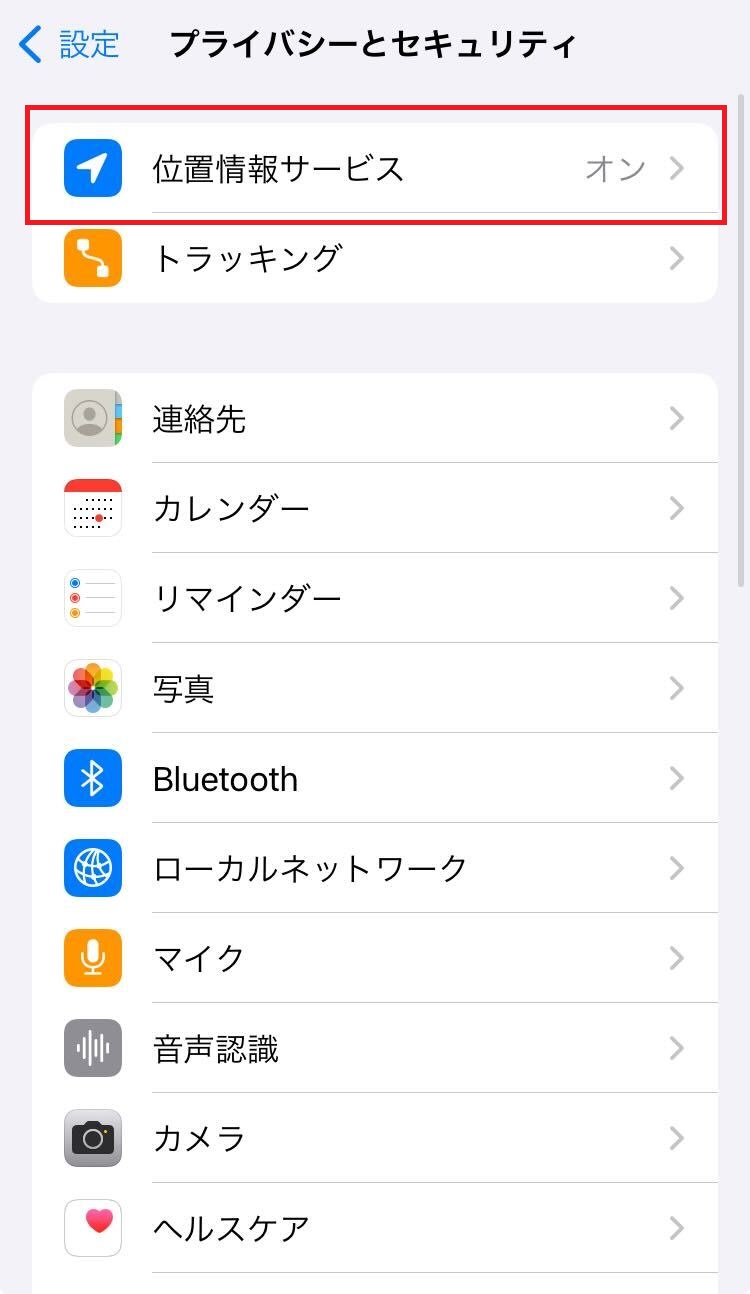
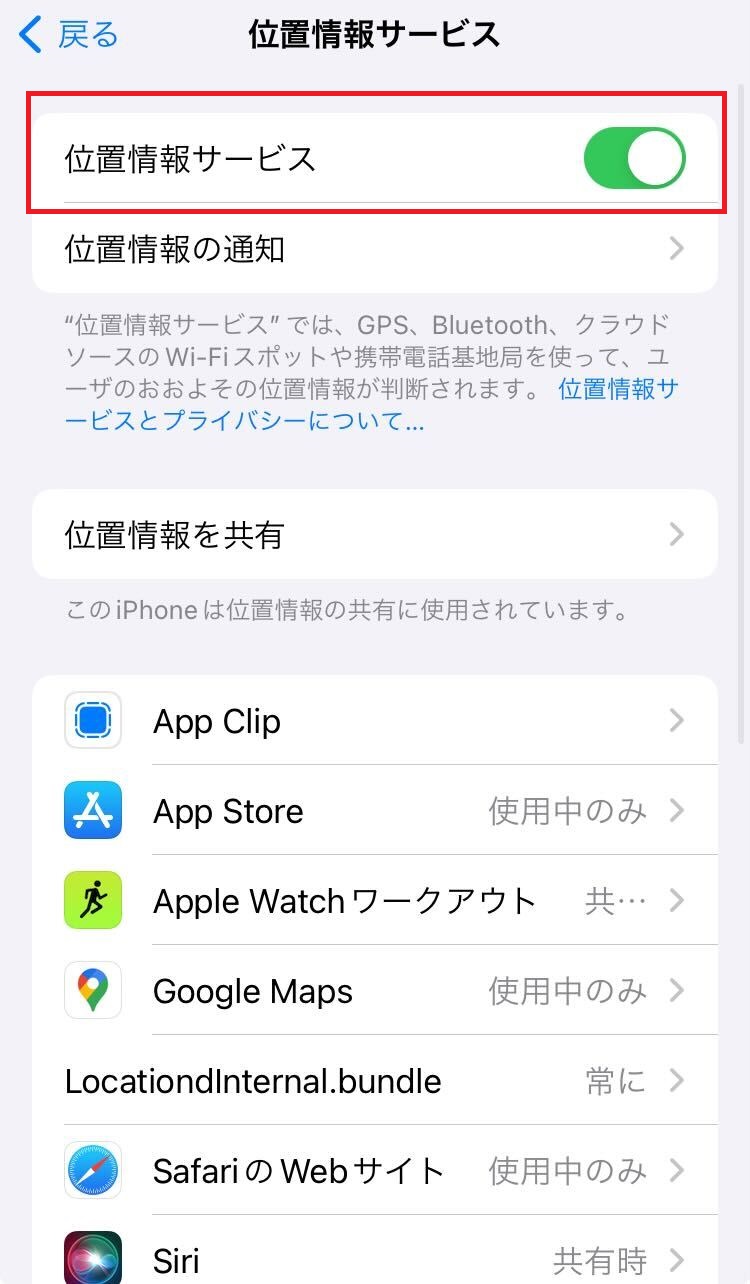
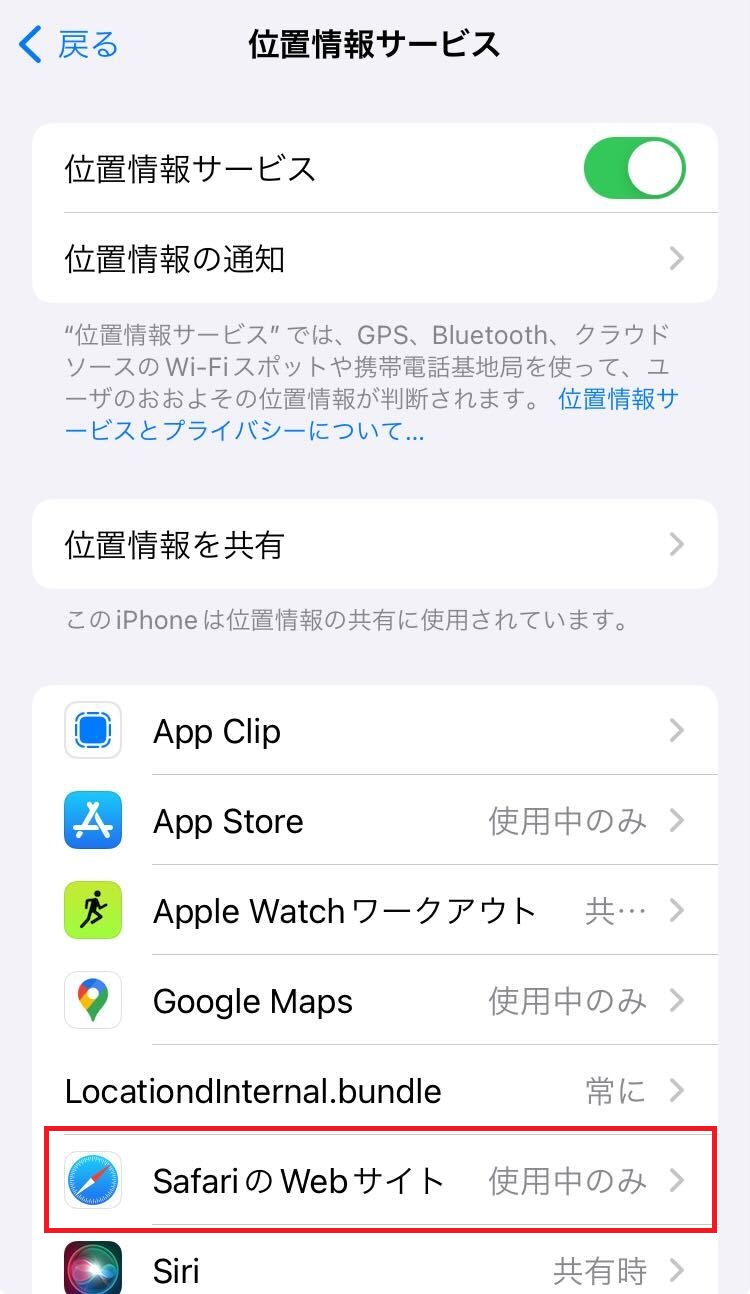
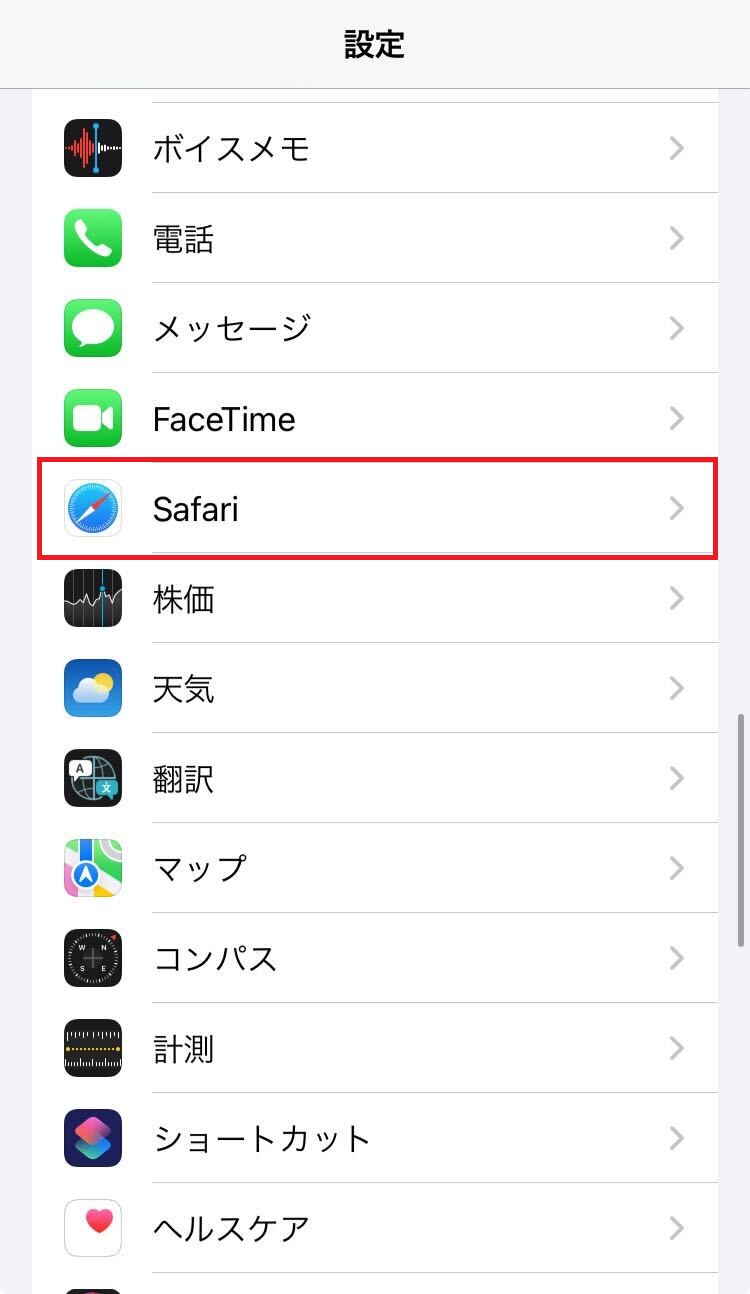
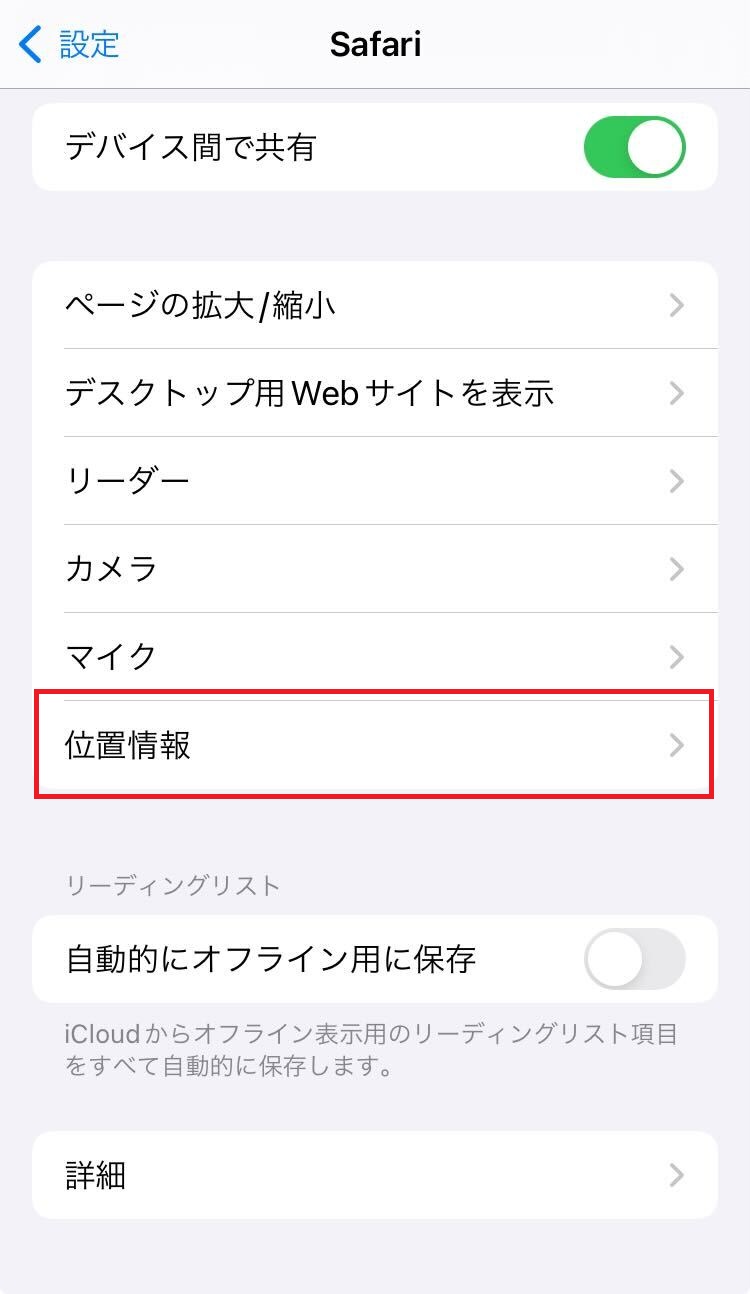
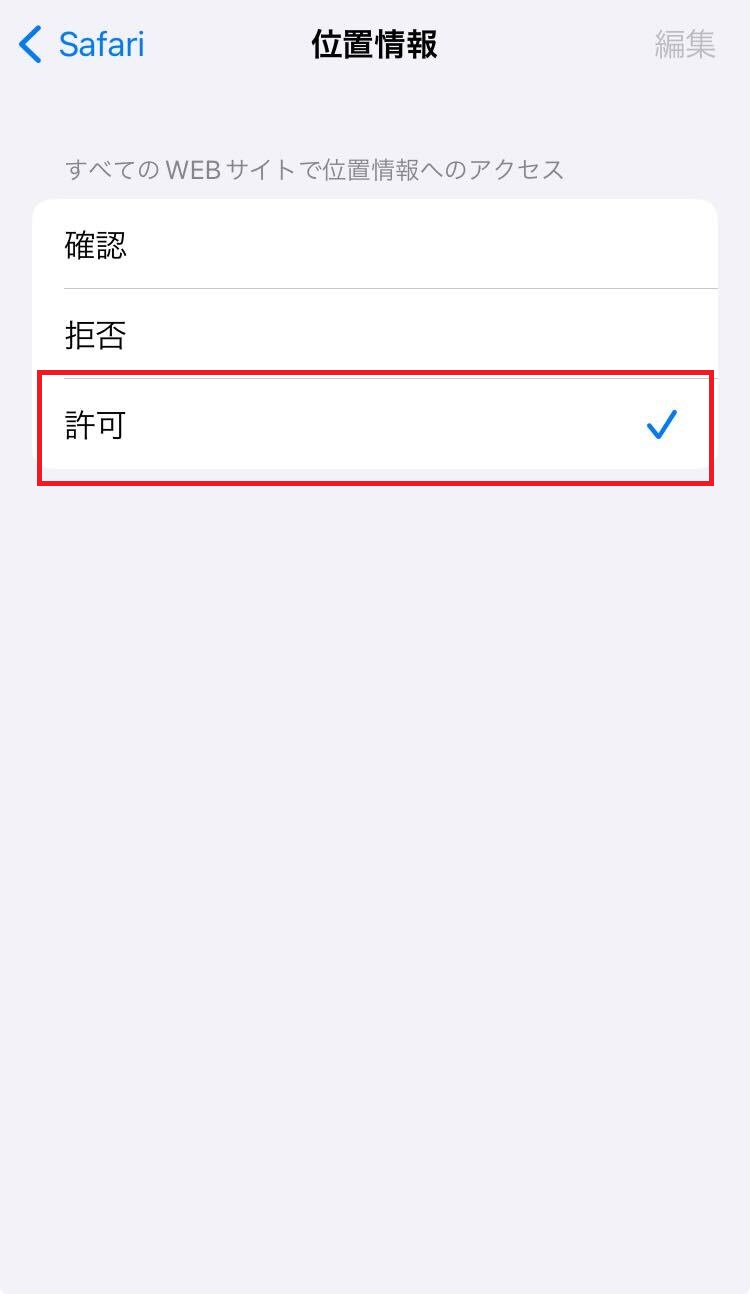
For iPhone users
Step 1 (Swipe the image to the right)
- *If you don't see the [Safari/Google Chrome] icon in [Location Services], a message will appear in your browser asking, "Do you want to allow Safari to use your location?" Please select "Allow."
-
Step 2 (Swipe the image to the right)
-
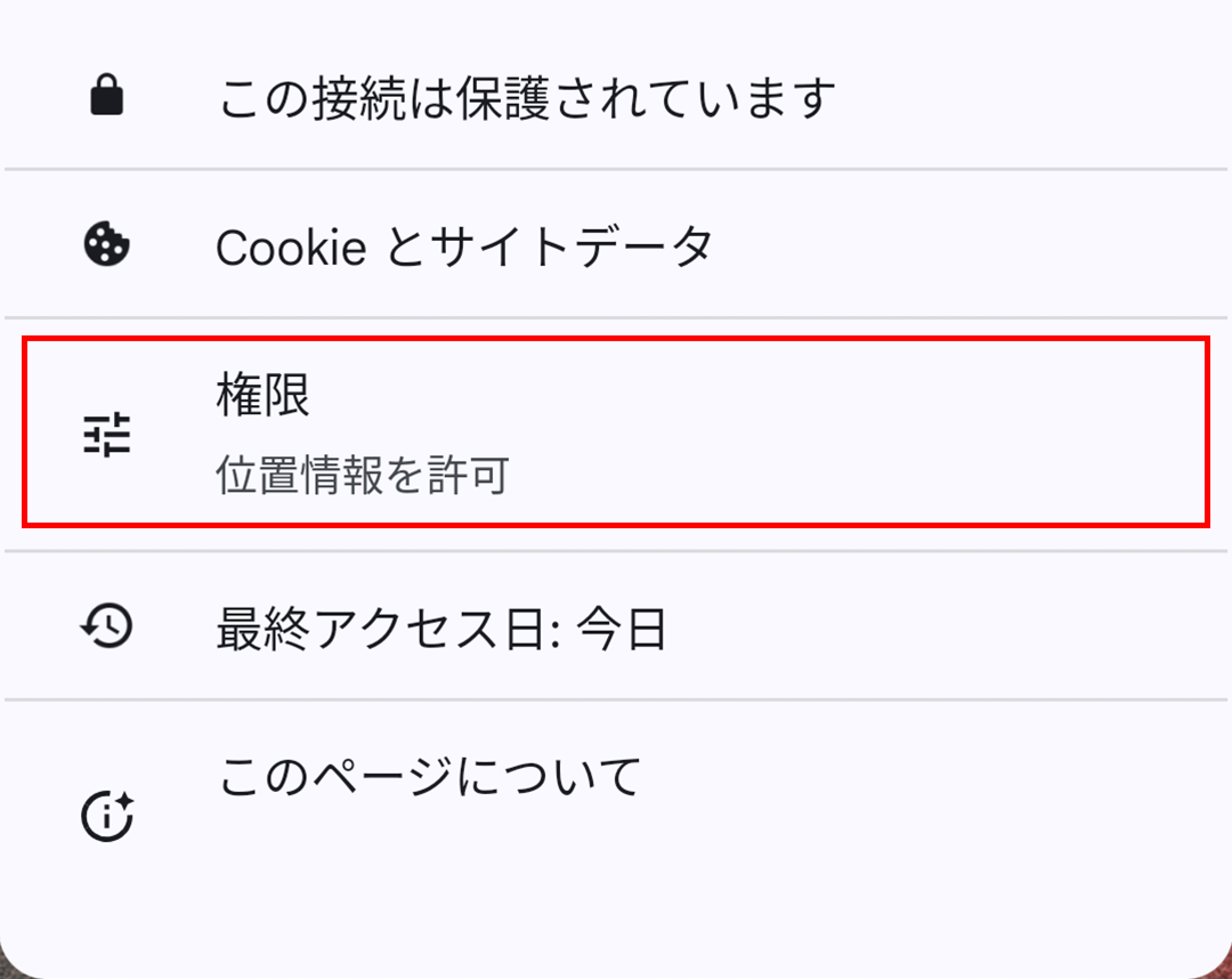
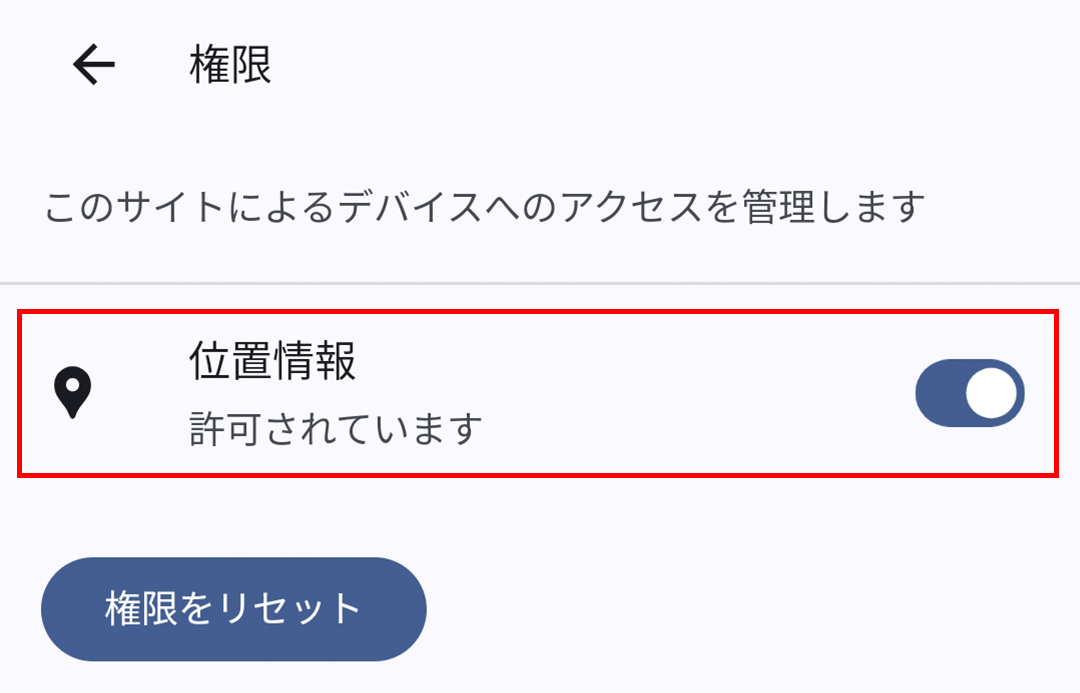
Android users
Step 1
On Android devices, be sure to access the settings screen and turn on GPS. In many cases, the settings may not be completed if you only access them through a browser.
- 1. Go to [Settings] → [Location & Security]
- 2. Check the [Turn on GPS function] checkbox.
- 3. Open your browser and access MENU key → [Settings].
- 4. Go to [Privacy and Security] and check the [Enable Location Services] checkbox.
- *Item names and procedures may vary depending on the device.
- *If you are unable to check in even though location services are turned ON in "Security & Privacy," please check if it is set to [Settings > Chrome > Location > Allow, While Using the App].
- *If you are using a QR code reader app to scan the code, please be sure to reopen the app in your browser using the in-app menu before drawing your lottery ticket.
-
Step 2 (Swipe the image to the right)