

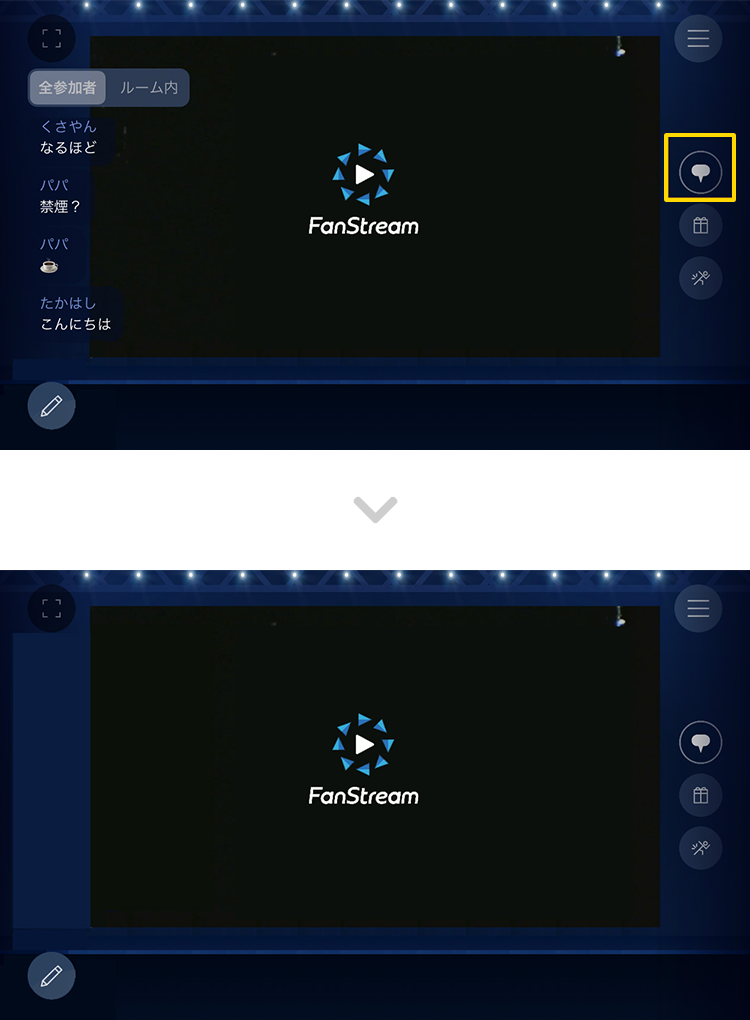
Click the comment icon on the right to toggle between showing and hiding comments.
back number
Official Fan Club
"one room" members only
"Live streaming" content
■ "Short Room"
"one room" is a live streaming content that is exclusively available to members and is distributed by members at random intervals.
*The archive will be available for a limited time at a later date. (Gold Key members only)
*Please note that archived broadcasts may not be available due to circumstances.
■ "Other distribution"
We will announce this on one room website each time.
*You will be notified of the distribution via push notification, so please make sure to set it to ON.
How to watch
You can watch the members-only live broadcast using the dedicated app "FanStream."
Enjoy interactive exchanges with the comments feature!
Download the "FanStream" app and log in with one room registered email address or ID ARTIST ID (Plus member ID) to view. (You cannot log in with one room membership number.)
To download the app, you will need either an iOS or Android device.
1 App download
Please download the FanStream app in advance.
Please check the FanStream official website for the recommended environment for the app.
FanStream official website
Download "FanStream" here


2 in to the app
After logging in with your registered account, please make sure that back number is displayed when selecting an artist.
 FanStream app
download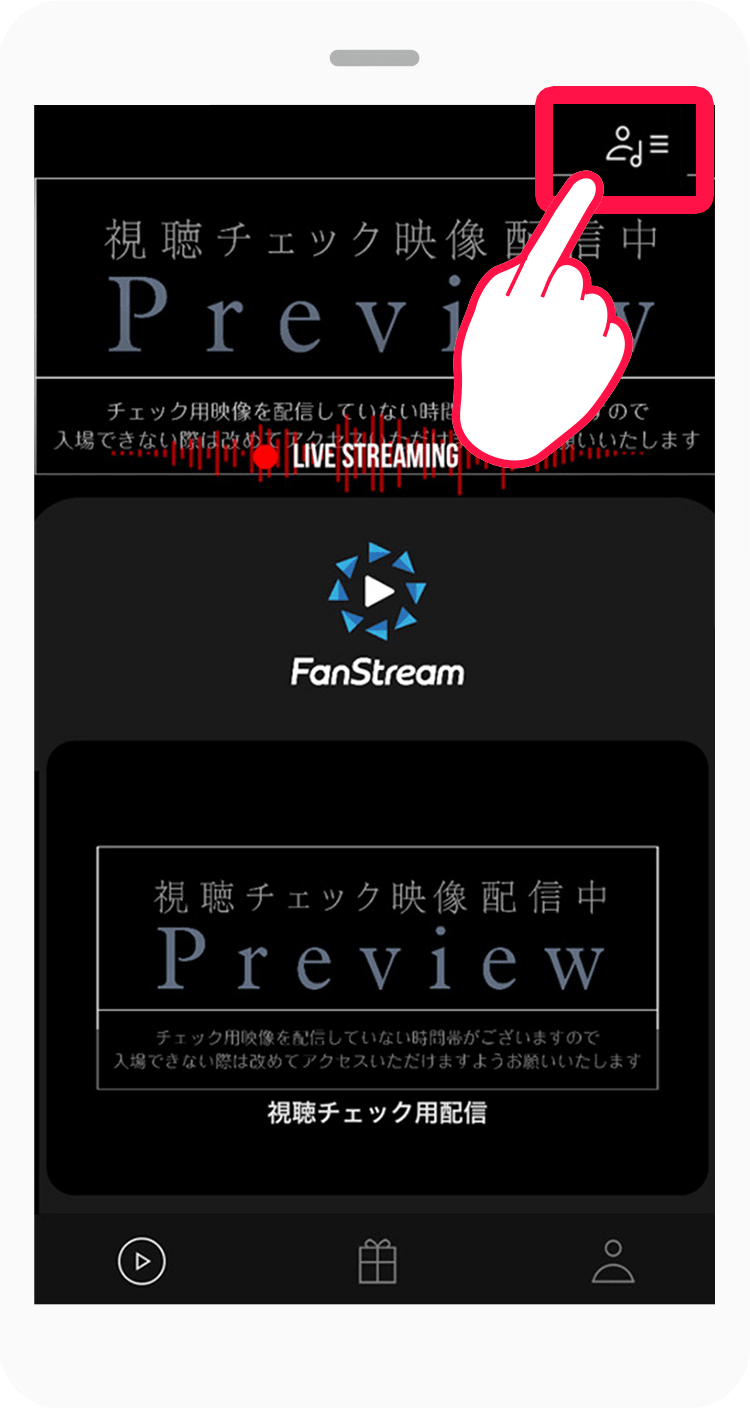 Click the "Select Artist" button on the top right
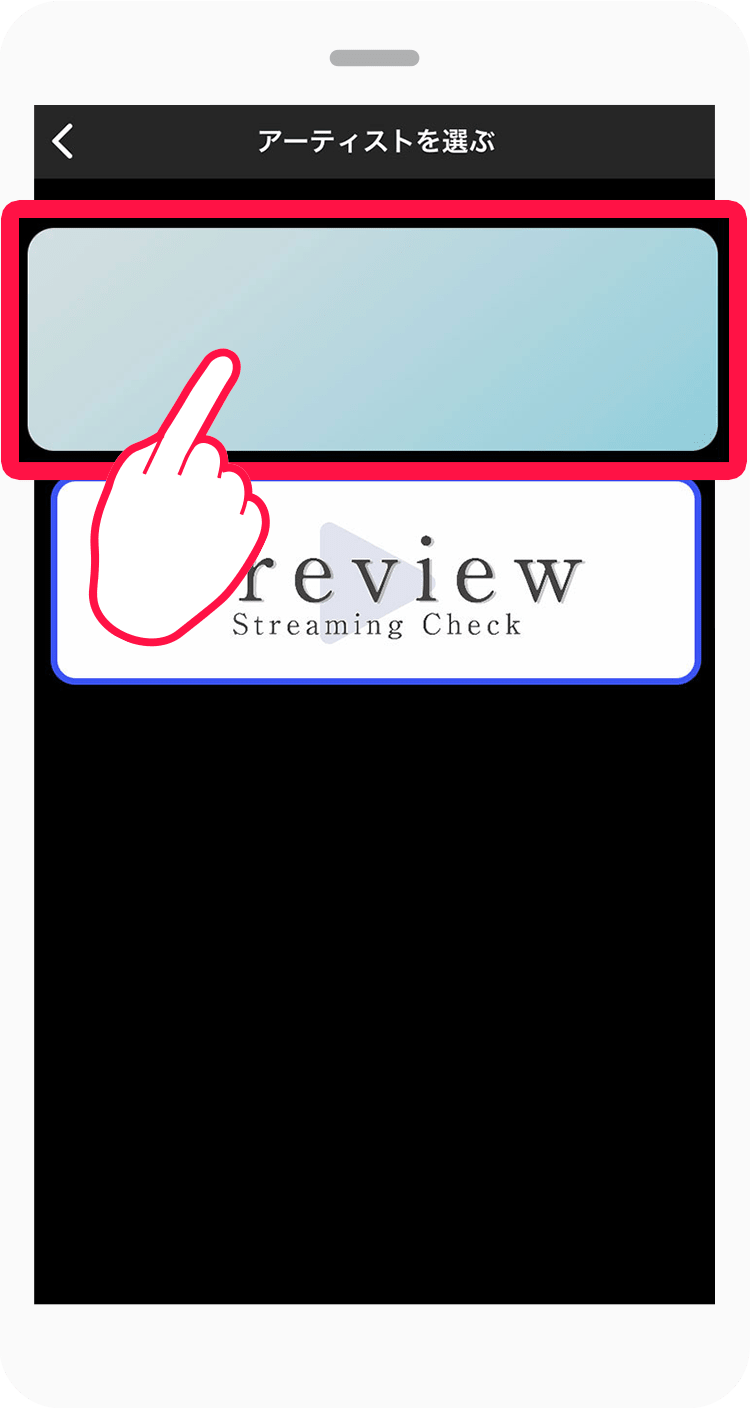 Select "back number"
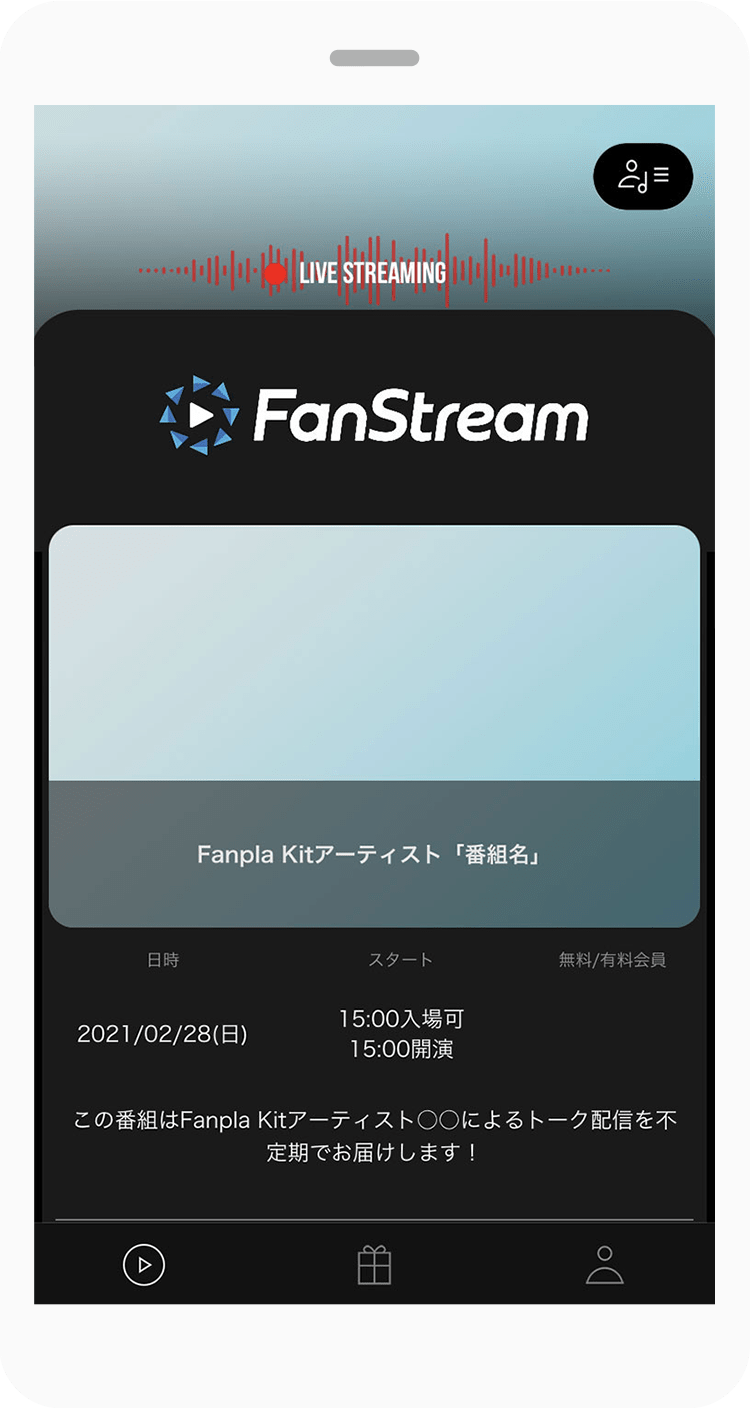 Event details
will be displayed
- FanStream app
download - Click the "Select Artist" button on the top right
- Select "back number"
- Event details
will be displayed
Enter 3 shows
Please click [Enter] from the program details to enter the program.
*If the video does not appear as the broadcast start time approaches,
We apologize for the inconvenience, but please try "Reload video" from the menu at the bottom right.
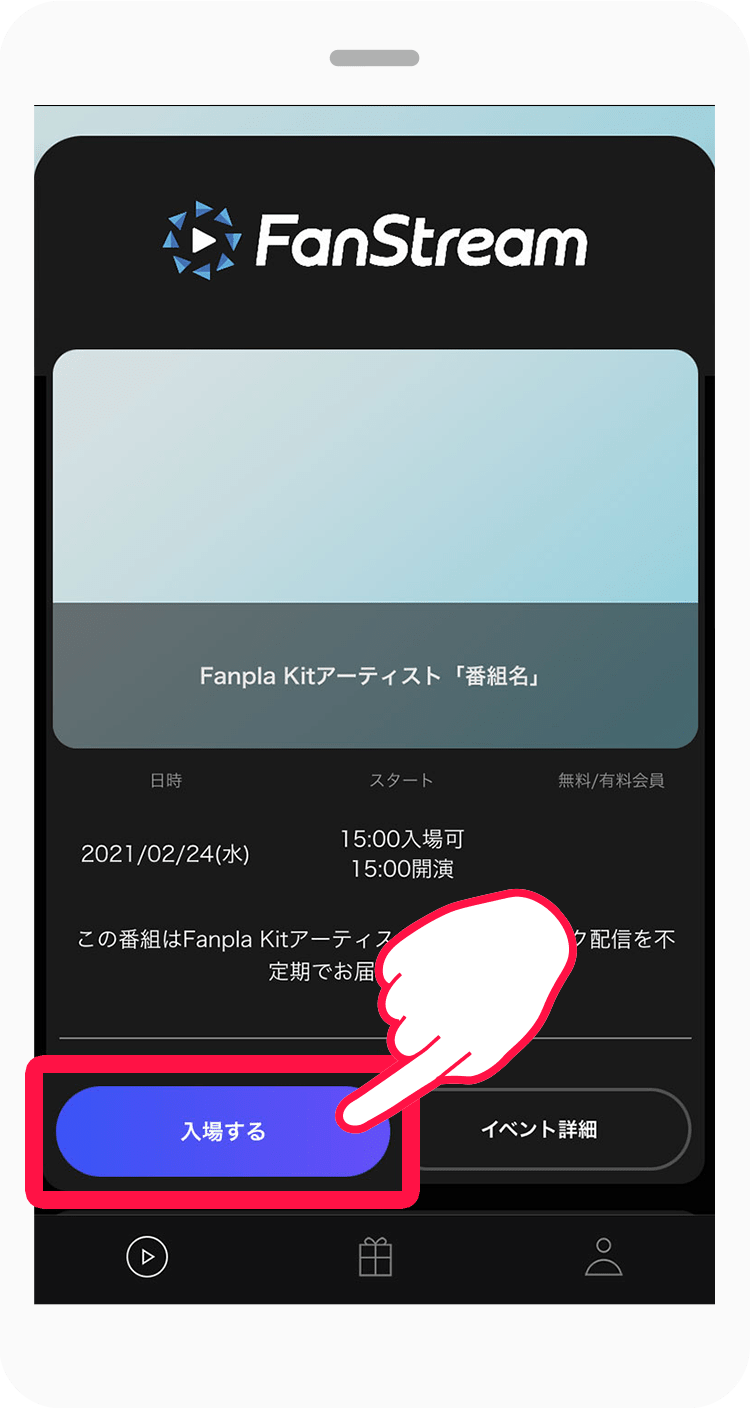 Press "Enter"
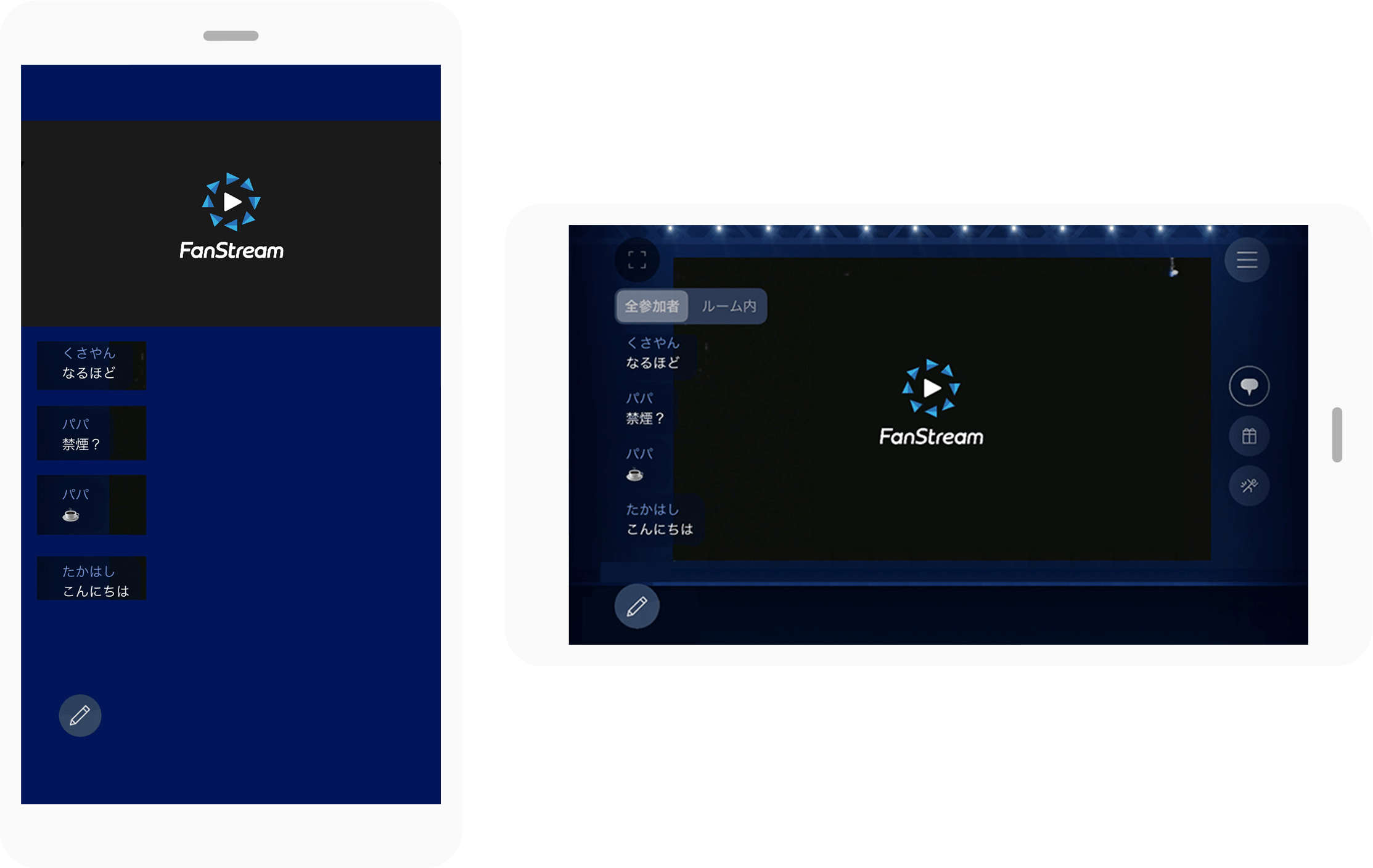 The player is displayed at the top and comments at the bottom.
Turn your mobile device sideways to expand the player.
- Press "Enter"
- The player is displayed at the top and comments are displayed at the bottom.
Turn your mobile device sideways to expand the player.
Viewing screen
Turn off comments
-
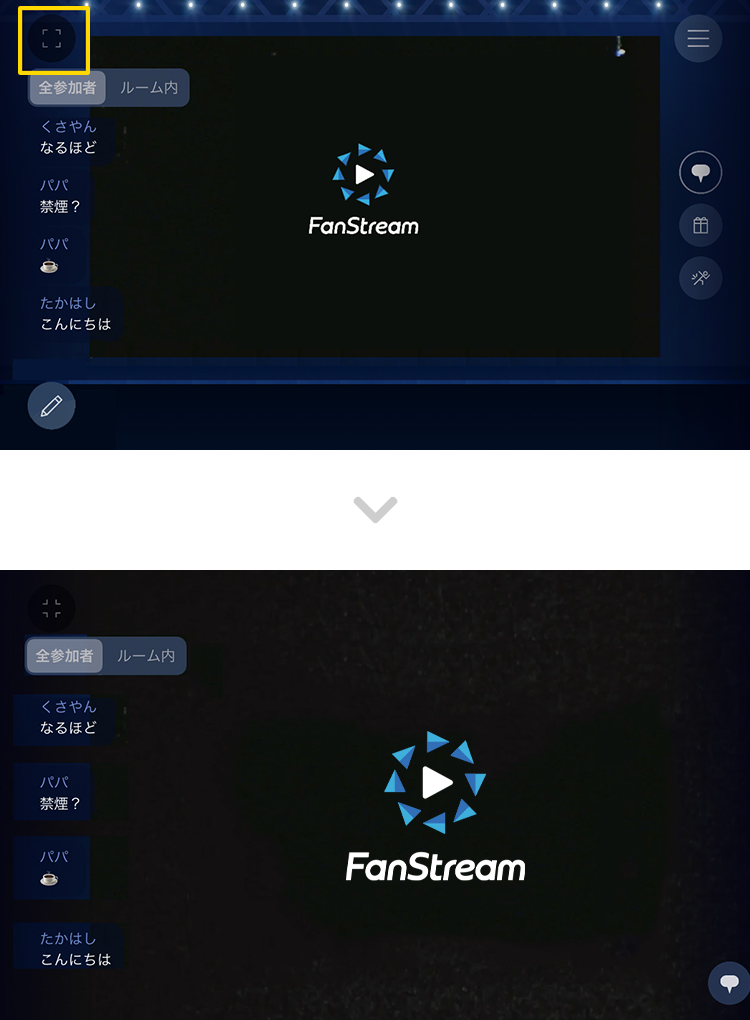
full screen
Click the size icon in the upper left to frame the player and display it in full screen.
-
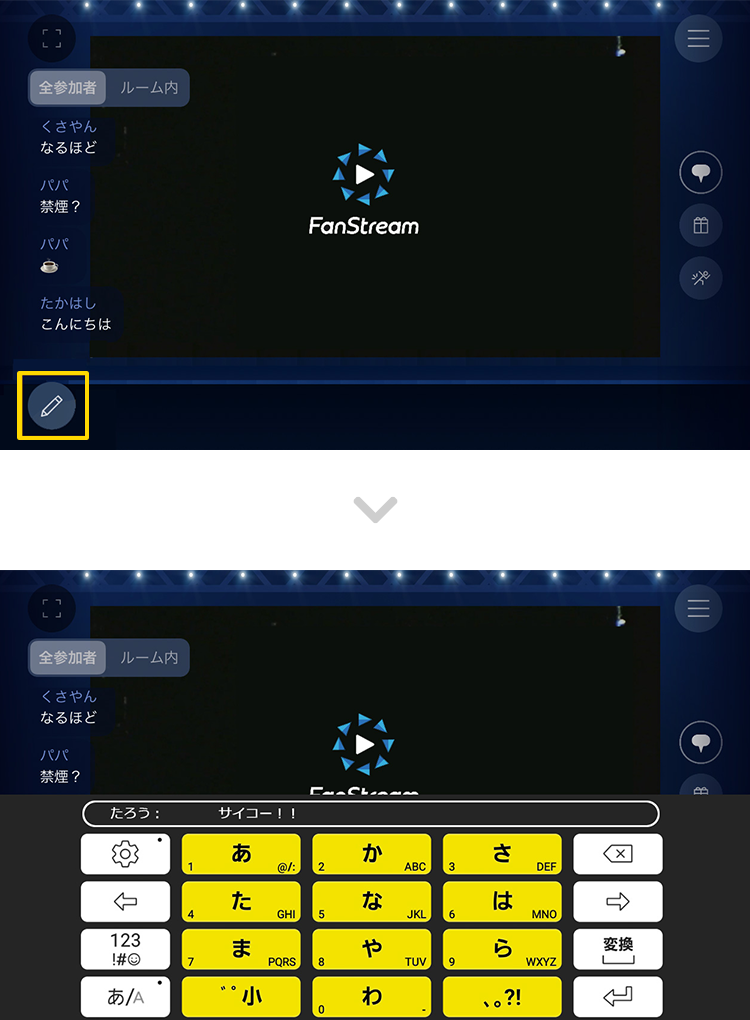
Post a comment
Click the pen icon below the comment to display the form and keyboard, allowing you to enter and post a comment.
Precautions
- ・Watching live broadcasts requires a large amount of data, so please watch in an environment with a stable internet connection such as Wi-Fi.
- ・You can watch on your smartphone in either portrait or landscape orientation.
Notes on watching the app
- ・If the video does not appear as the broadcast start time approaches, please try "Reloading the video" from the menu in the bottom right.
- ・Gifting and action features will not be available. Please note that even if you purchase an item, it will not be available for use in this stream.
Note
- ・After checking that you can watch the live broadcast normally on the viewing check broadcast page, be sure to select the menu in the top right corner of the screen and select [Leave this live program] to leave the program.
- ・If you do not exit the viewing check distribution page, communication fees (packet charges) for video playback will continue to be incurred. Please note that communication fees (packet charges) incurred if you do not exit the page will be borne by the customer.
For those who cannot download the app
- If you are unable to download the app, please watch it on the web.
- ≫Click here for the web viewing page
Recommended environment
- iPhone
- Devices with iOS version 15, 16 or higher
- Android
- Android devices running version 12, 13 or higher
*Tablet devices are not supported as they are not a recommended environment.
If you have the FanStream app, click here
Open the app