

"one room" members can use the comment function. Let's share our thoughts and comments and have a lively discussion in real time!
listening party
A listening party is when everyone plays music simultaneously at a designated time.
This is an online event where participants share their thoughts and impressions in real time via chat.
We will notify you by push notification when the event is held, so please be sure to turn it on.
How to participate
You can join the listening party using back number app.
Let's get excited in real time using the comment function!
Download the "back number app" and
You can participate by logging in with your email address or Plus member ID.
- * Participation requires a paid Apple Music subscription or a Spotify Premium subscription.
- * Even if you are not a "one room" member, you can participate if you have a Plus member ID.
- * The comment function is only available to "one room" members.
- * A device with either iOS or Android is required to download the app.
Participation Procedure
1 App download
Please download the "back number app" in advance.

2 in to the app
Please log in using your email address or Plus member ID from "my ticket" within "bn official".
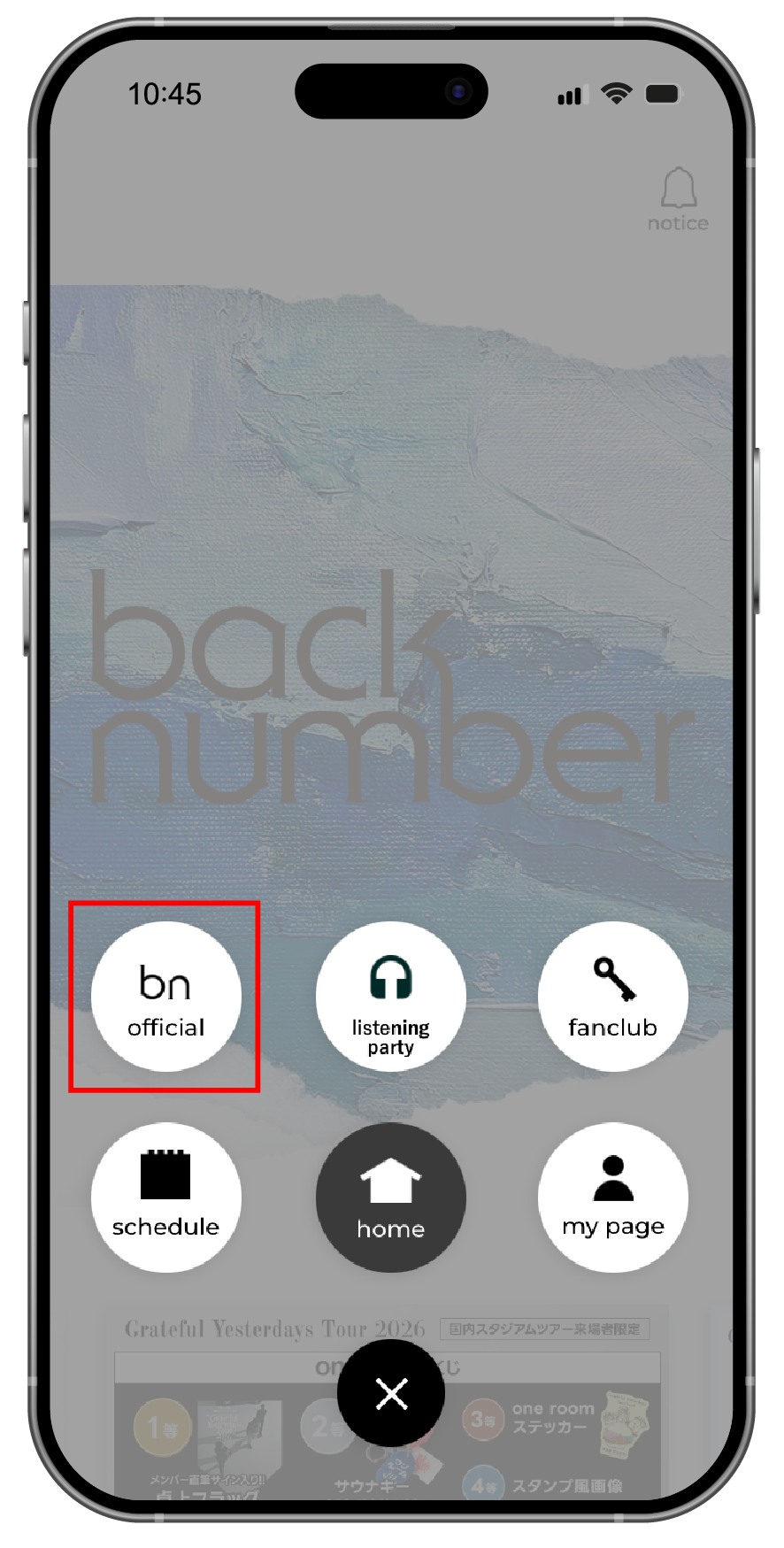 "bn official" in the menu
Press the button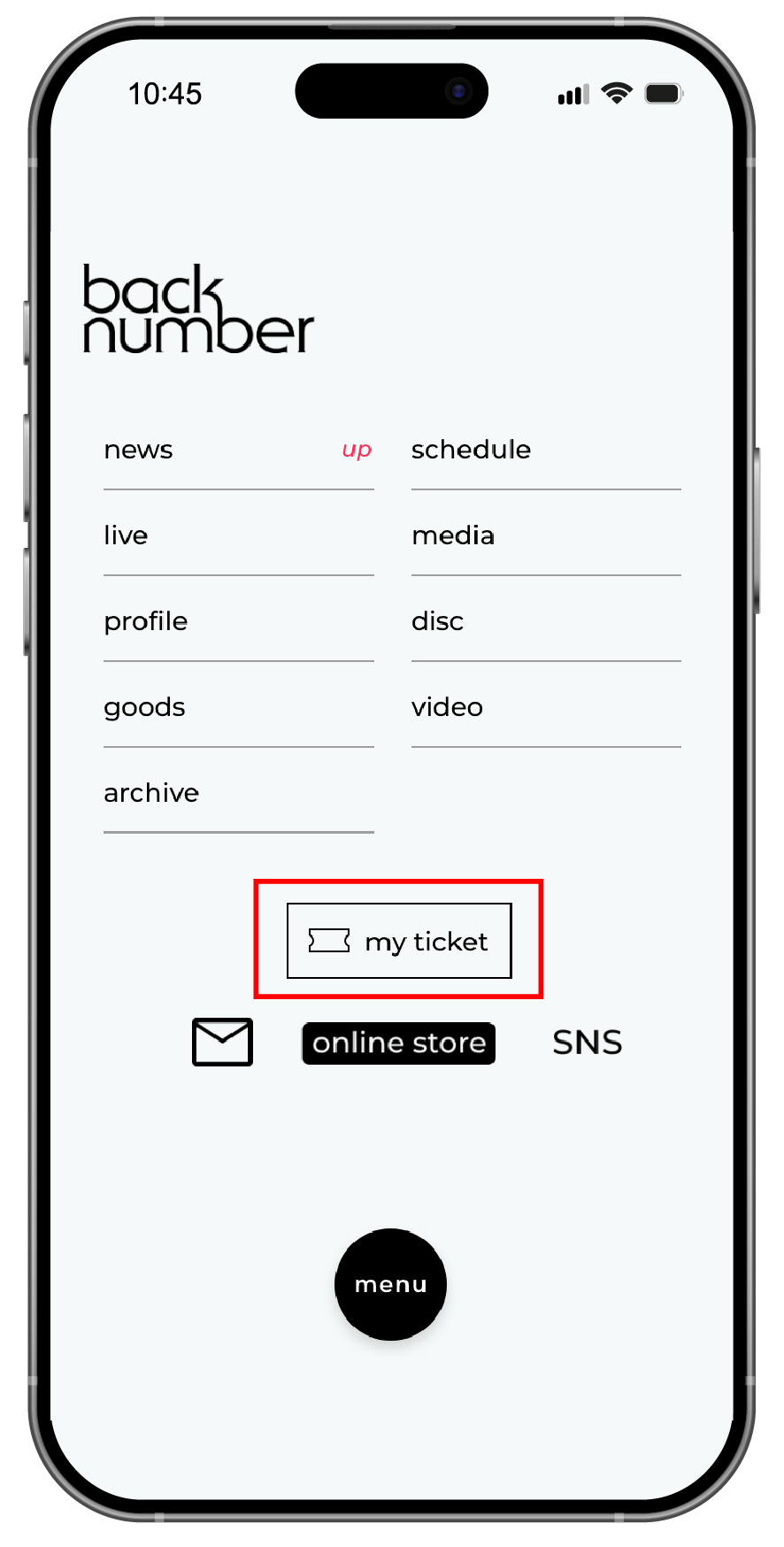 "My Ticket" within "bn official"
Press the button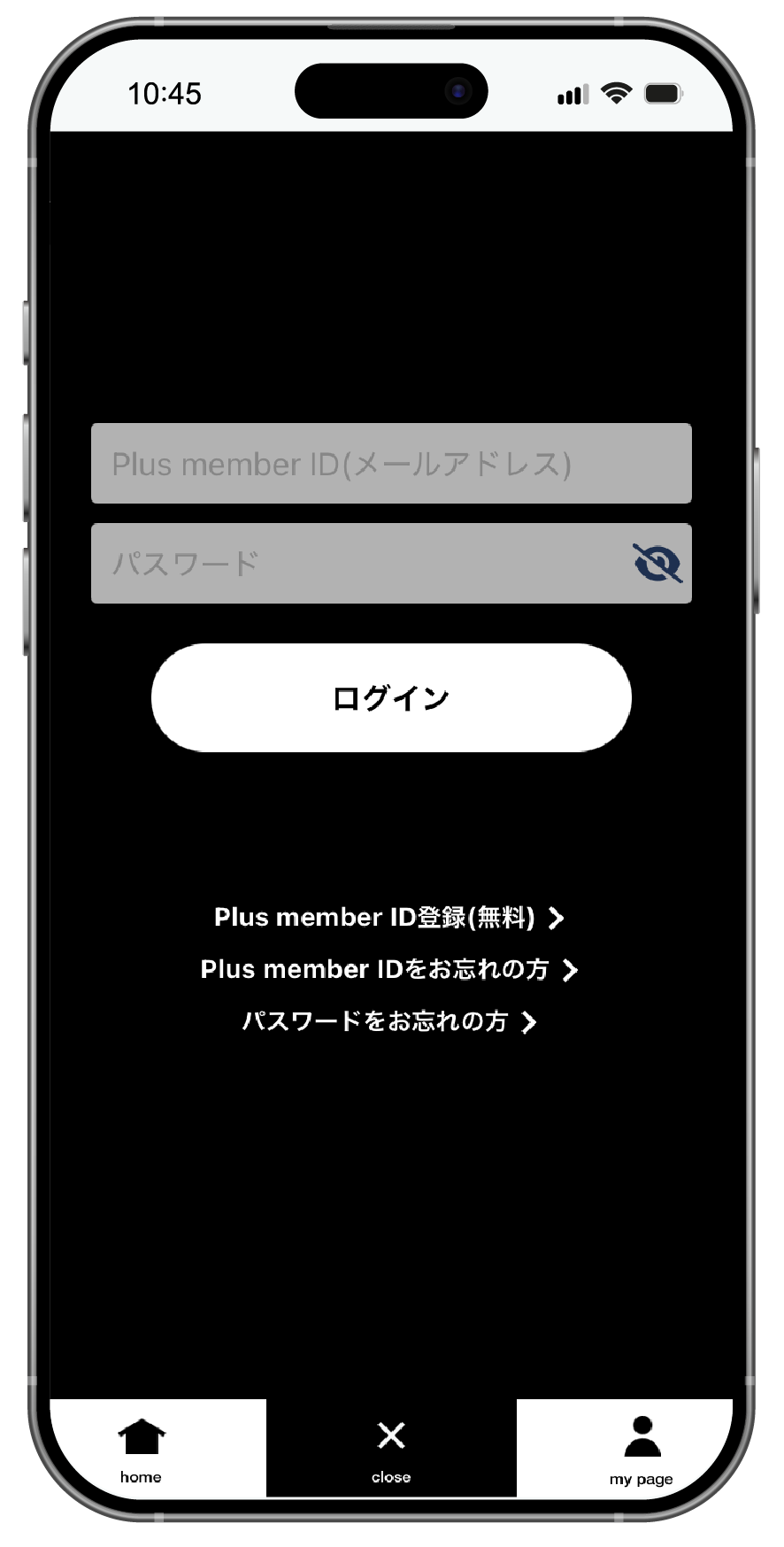 With your registered information
Log in
- "back number app"
Download - "My Ticket" within "bn official"
Press the button - With your registered information
Log in
3 Connect with Apple Music or Spotify
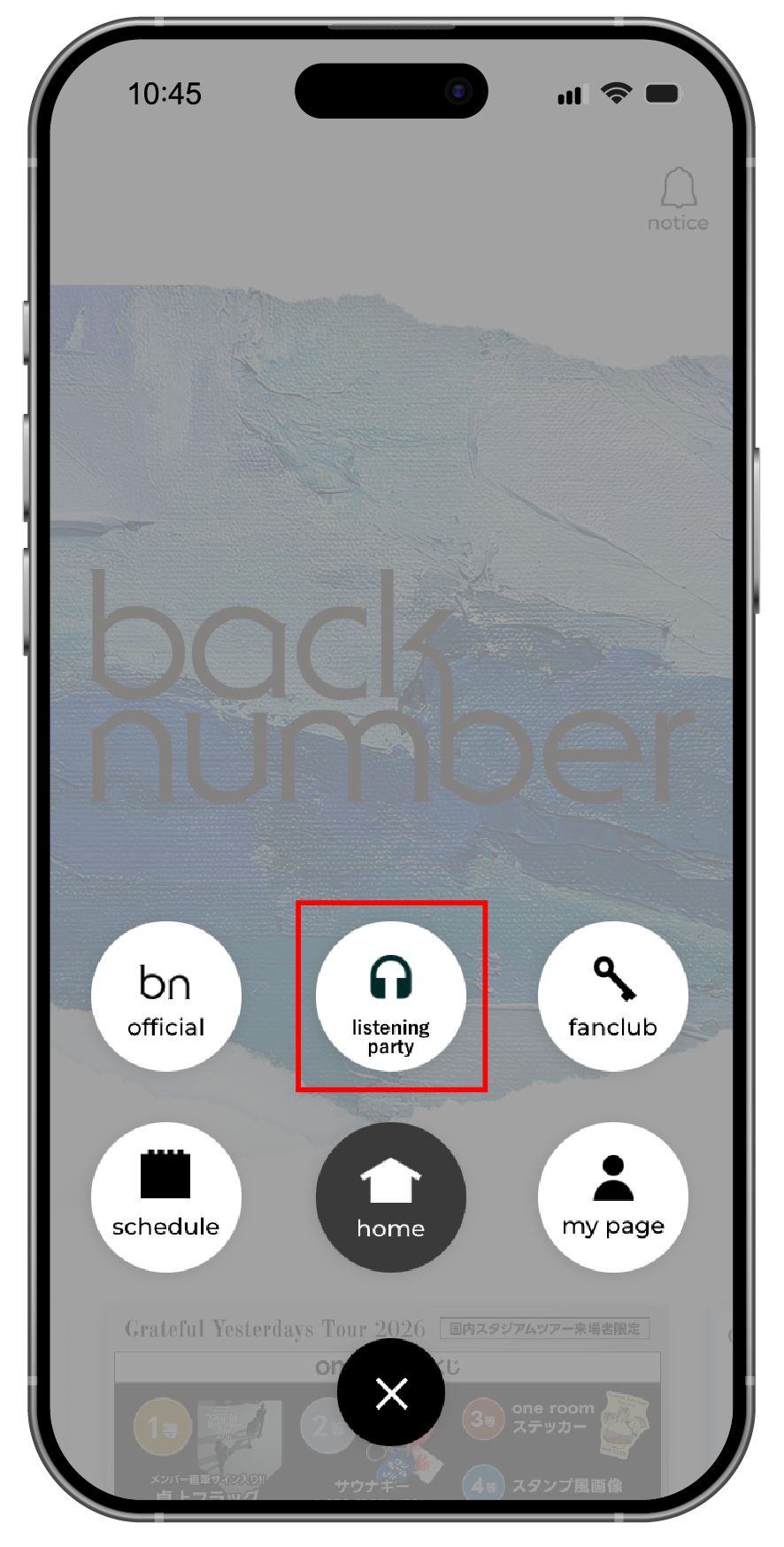 Inside the menu
Press "listening guarantee"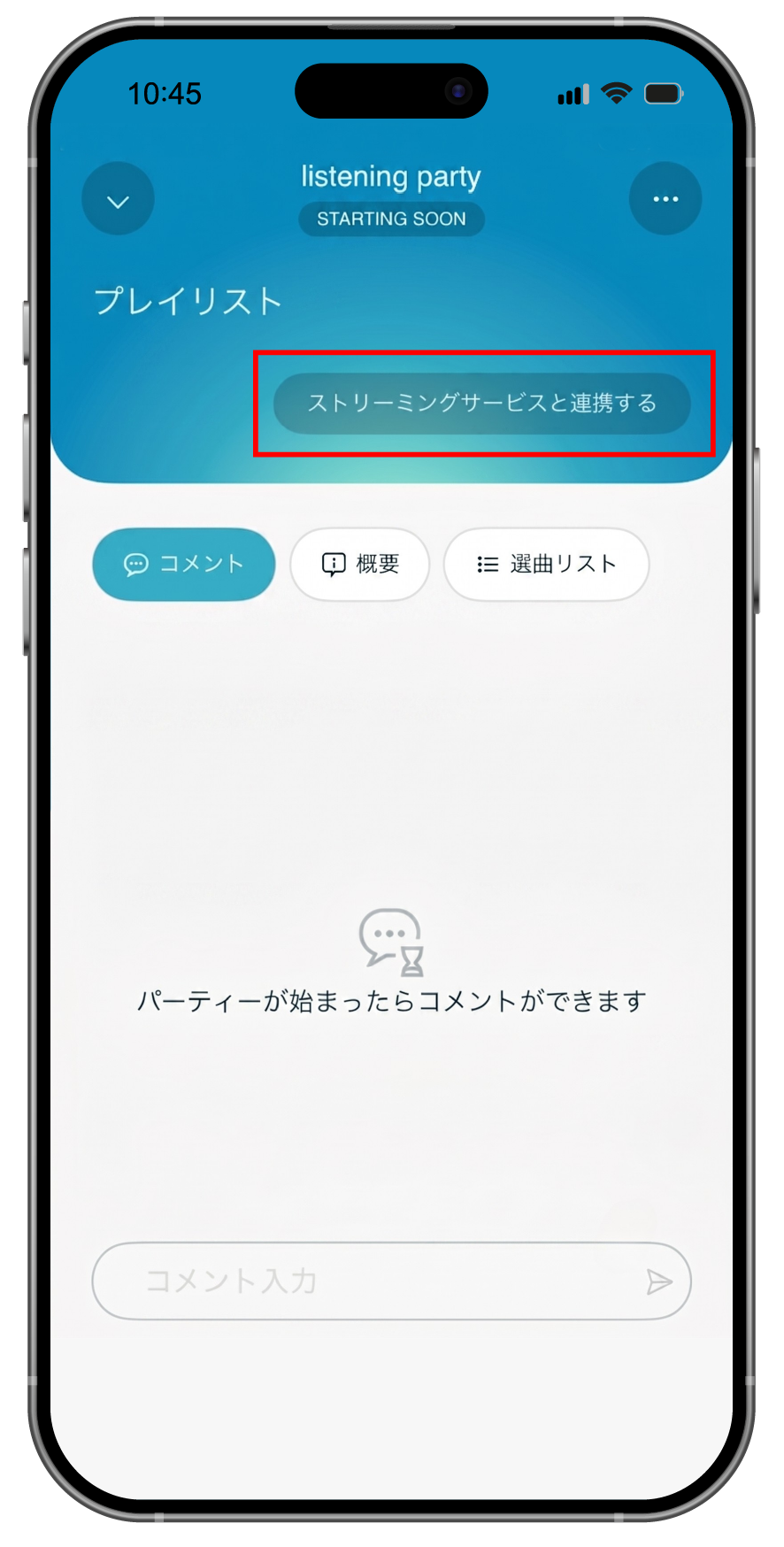 Press "Connect to streaming service"
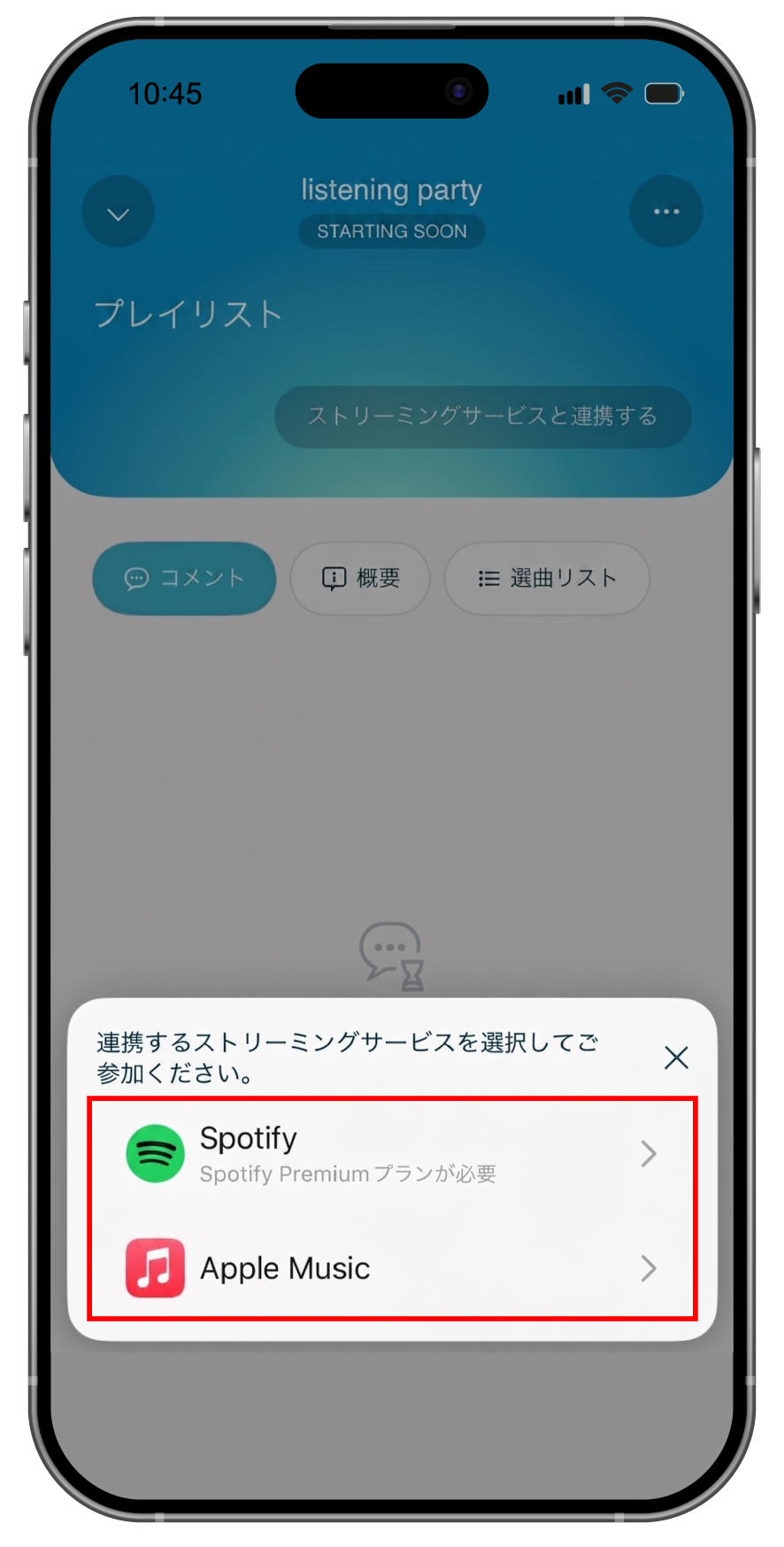 Streaming
Select a service* Only Spotify Premium accounts can be linked.
- Inside the menu
Press "Listening Party" - Press "Connect to streaming service"
- Streaming
Select a service*Spotify Premium accounts can only be linked.
4 Check if the connection was successful.
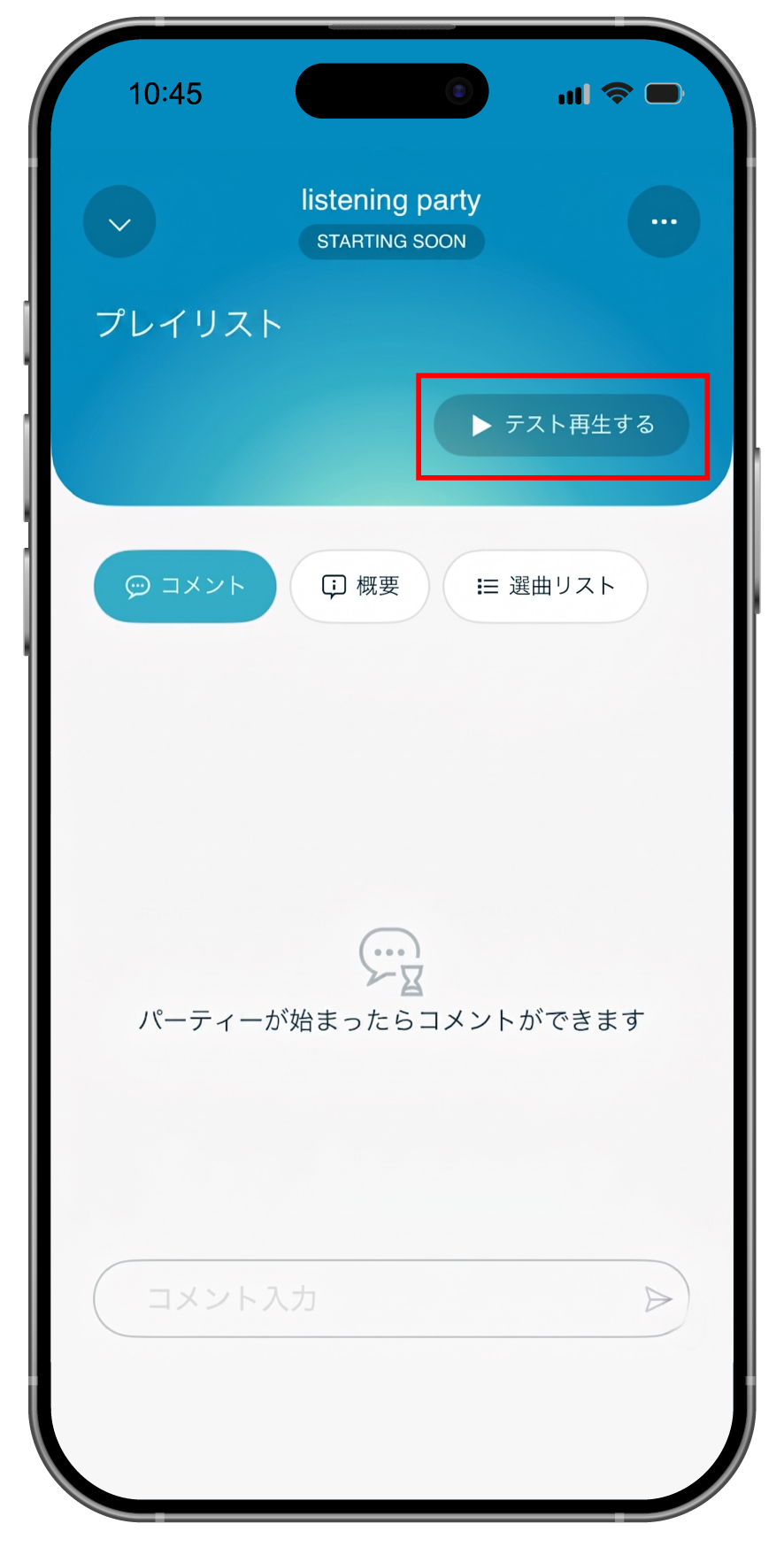 Click the "Test Playback" button to confirm if the connection was successful.
- From the "Test Playback" button
Check if the connection was established.
5Participating in a listening party
When the event starts, please join by clicking the "listening party" button.
*We will notify you by push notification when the event is held, so please make sure to turn it on.
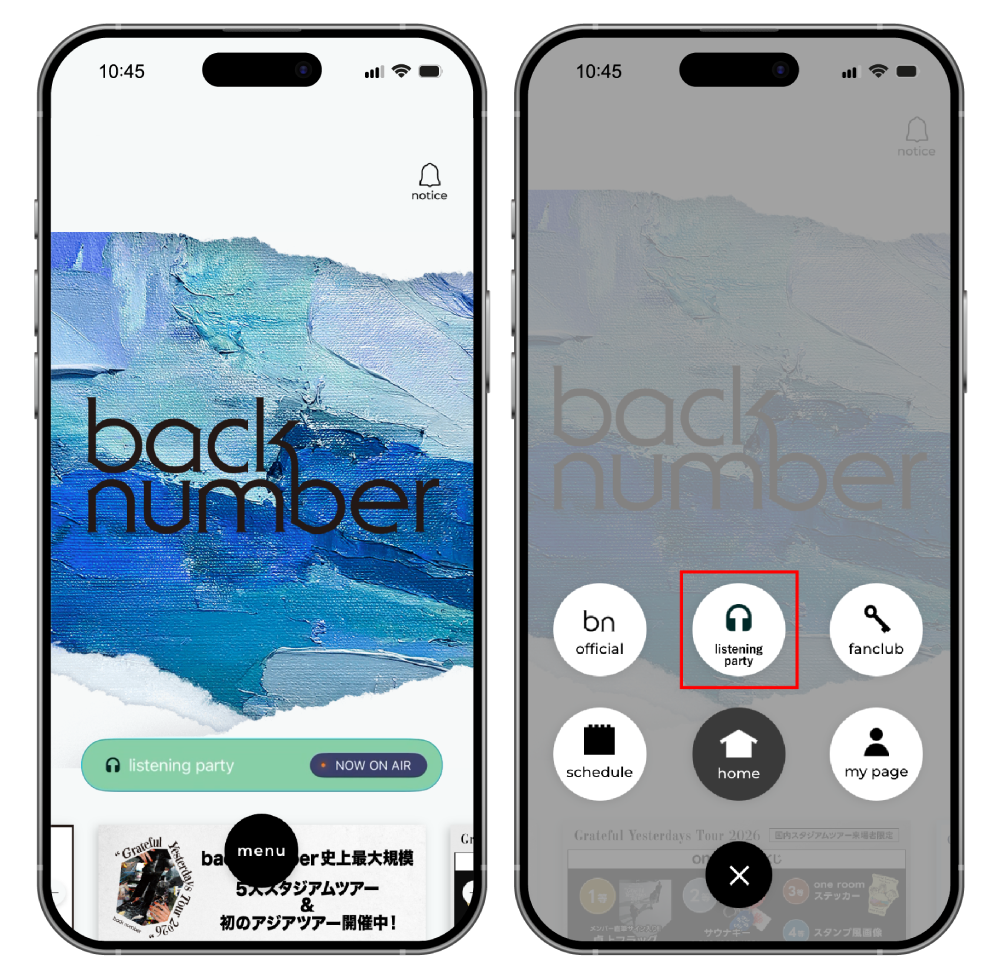 TOP's "listening party"
or
"listening party" in the menu
Press
- TOP's "listening party"
or
"listening party" in the menu
Press
Listening Party Screen
 Comment function
 overview
You can find details about the listening party here.
 Song selection list
You can check the setlist for the ongoing listening party.
Precautions
- * An update to the latest version of the app is required to use this feature.
- * Please note that participating in the listening party will consume a significant amount of data. Please watch in an environment with a stable internet connection, such as Wi-Fi.
- * The comment function is only available to members of "one room".
- * [Regarding the reset of comments and rooms]
During the event, you can post and view comments in real time. However, please note that the "listening party" will end when the last song in the playlist finishes, and all comments and room status up to that point will be automatically reset (deleted). - * The only streaming services that can be linked are "Apple Music (paid plan only)" or "Spotify (Premium only)".
- * [For those using Spotify on iOS devices such as iPhones]
This event is designed to be enjoyed in real time while the app is open. However, if you close the app or switch screens by opening another app (such as LINE or social media) while music is playing, the connection with Spotify may occasionally be lost and the music may stop once the total playback time exceeds one hour.
If the music stops midway, please reconnect (re-connect) from "Connect with streaming service" within the app. - * [For those using Spotify on an Android device]
While participating in the listening party, please turn off the Spotify app (prevent it from running in the background) and enjoy comments and music through back number app.
If you are using the Spotify app while participating in a listening party via back number app, there may be a slight delay in the playback position of the playlist.