


You are outside of GPS range.
Please approach the area in question.
GPS check-in method
-
STEP1
Before you arrive, please check that the GPS function on your smartphone is turned on.
-
STEP2
If you are within approximately 10km of the venue, tap the "[Participate in the lottery here]" button on one room lottery page.
-
STEP3
Once GPS authentication is successful, a "Draw a Lottery Ticket" button will appear. Please tap this button. The lottery results screen will then be displayed.
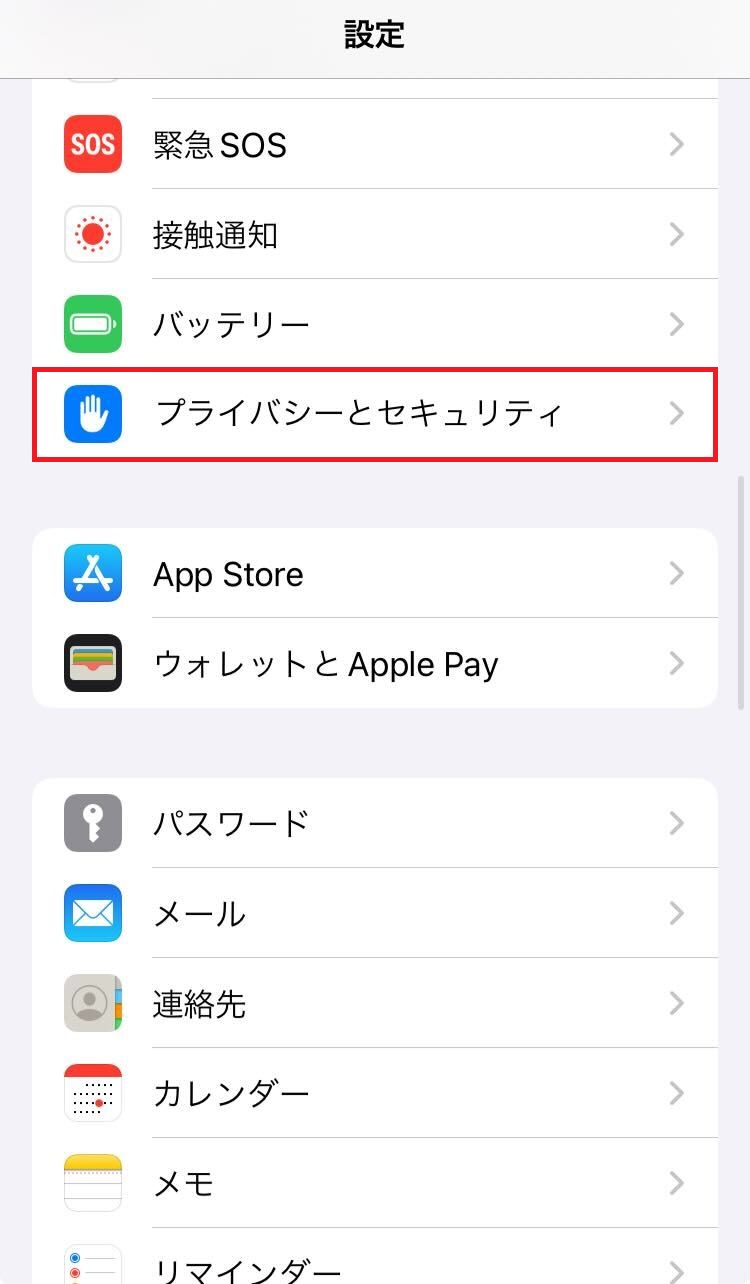
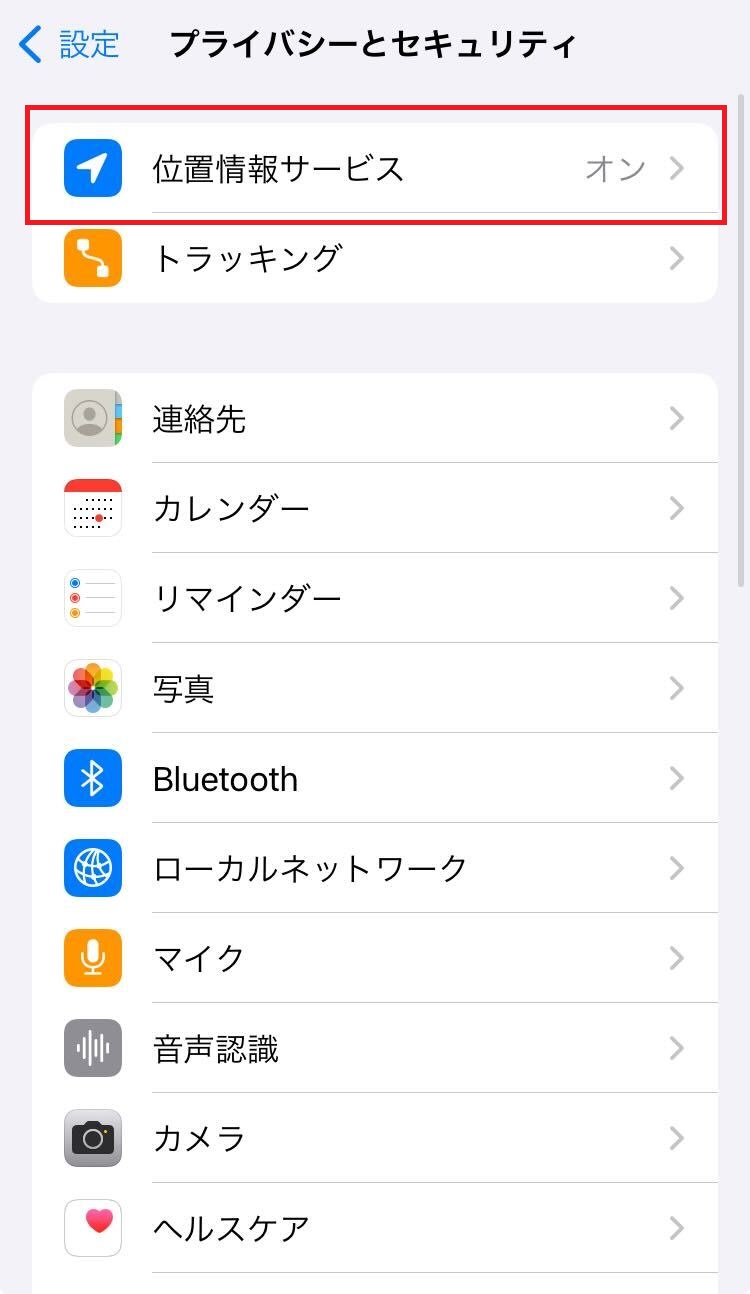
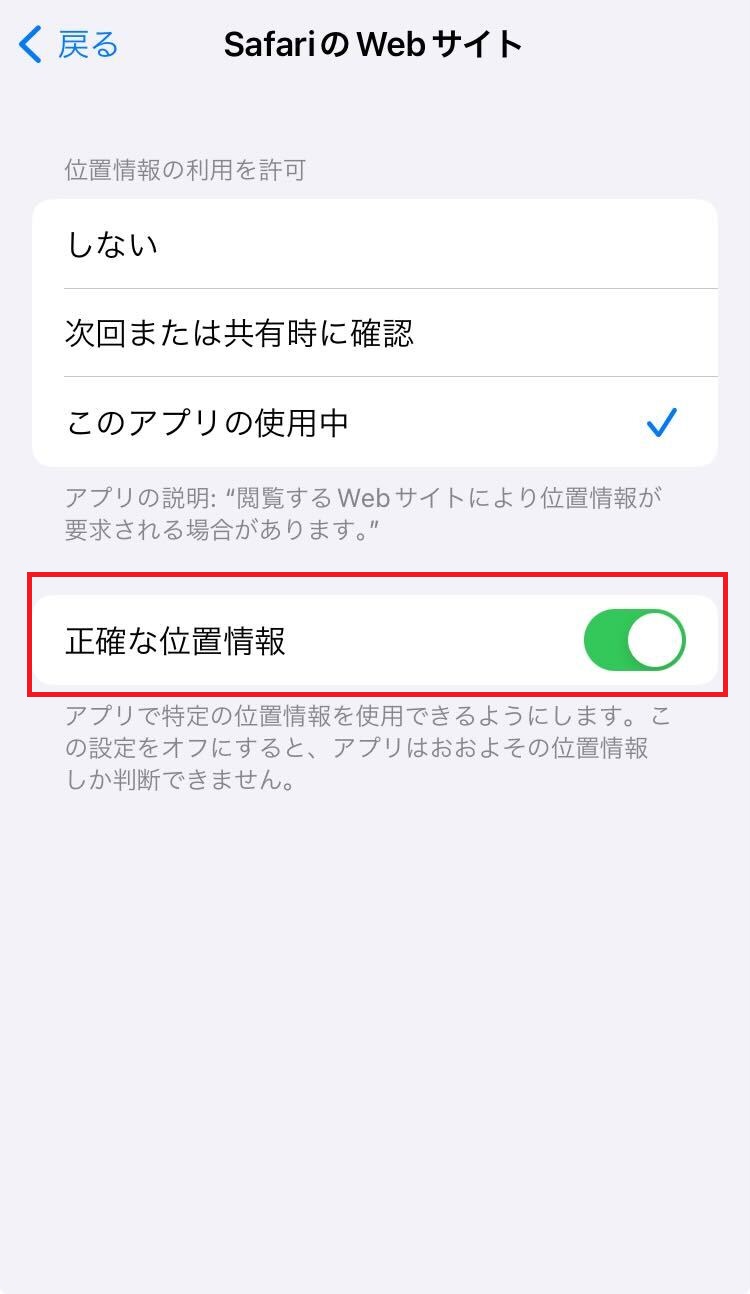
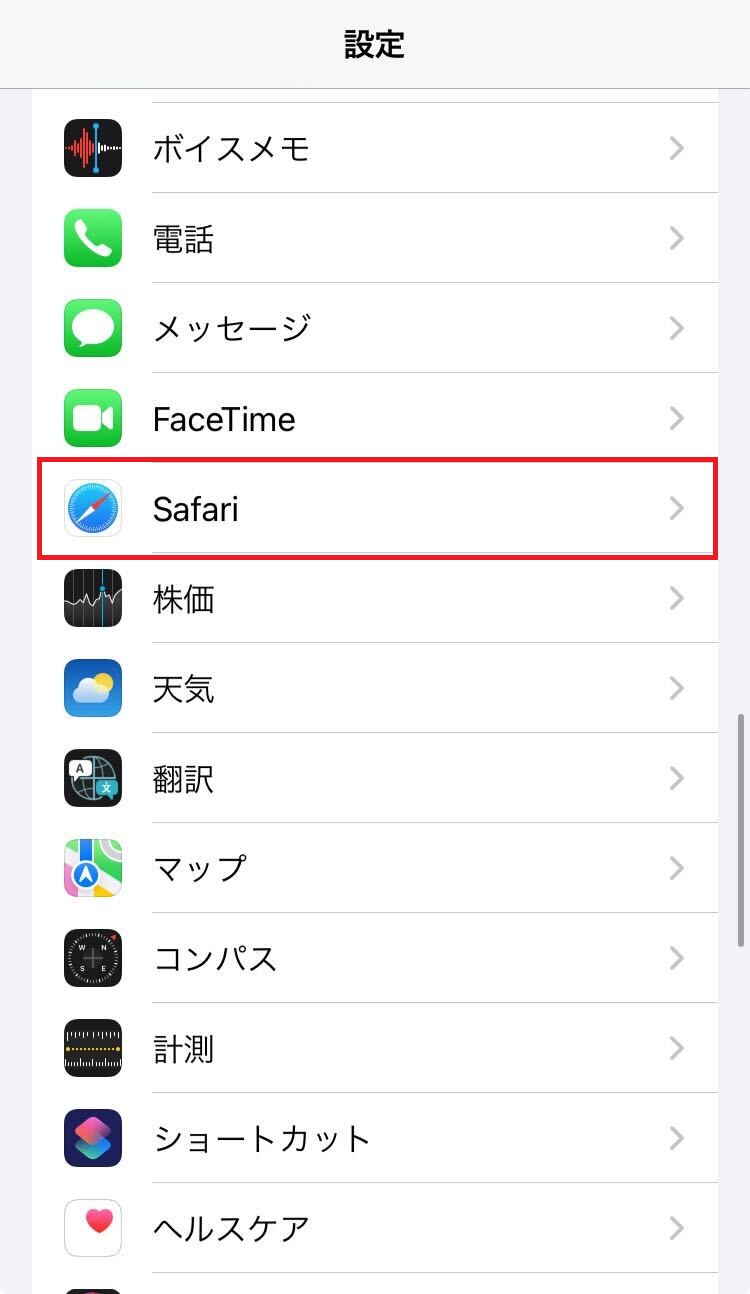
For iPhone users
Step 1 (Swipe the image to the right)
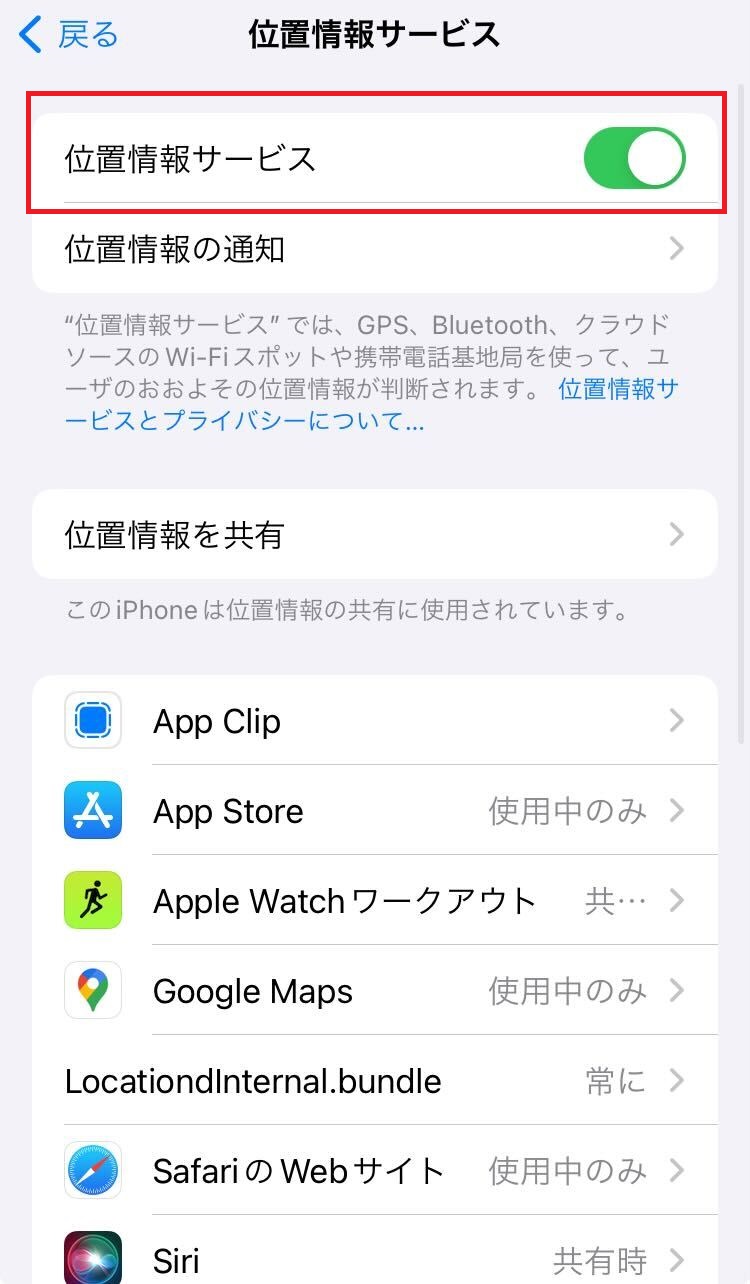
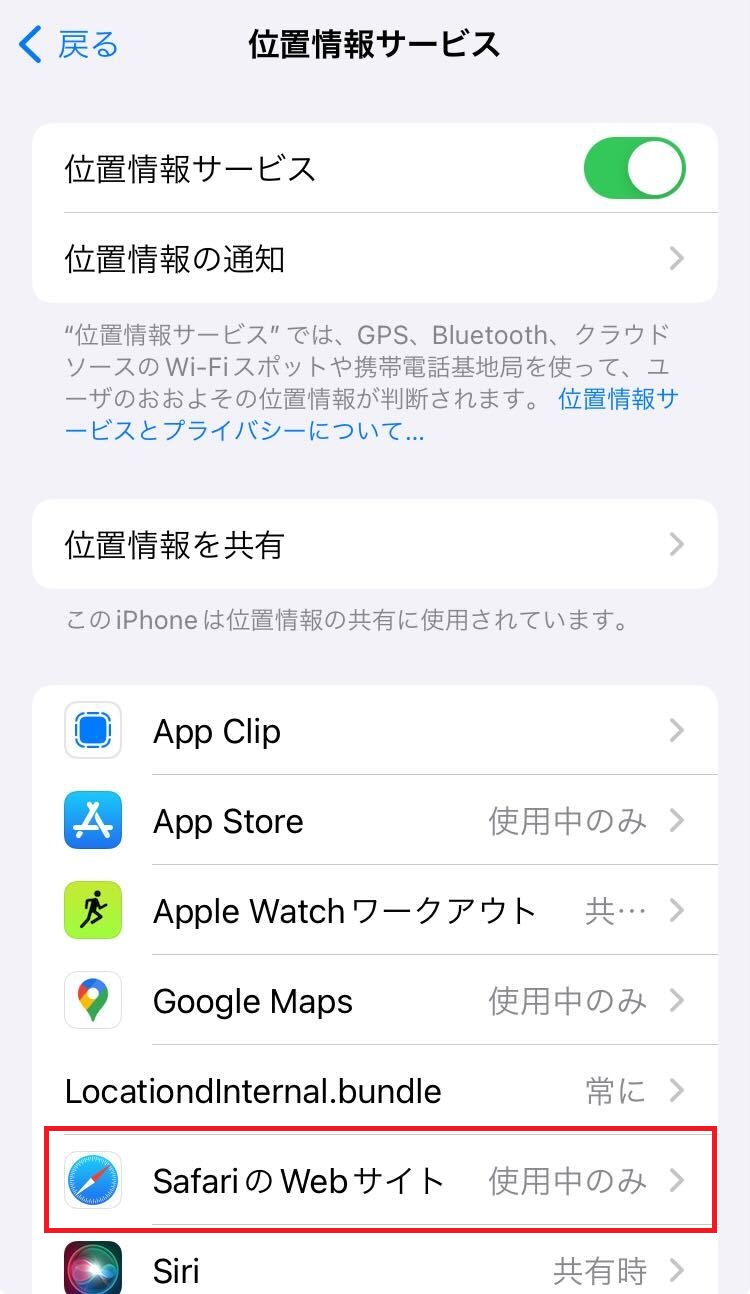
- *If you don't see the [Safari/Google Chrome] icon in [Location Services], a message will appear in your browser asking, "Do you want to allow Safari to use your location?" Please select "Allow."
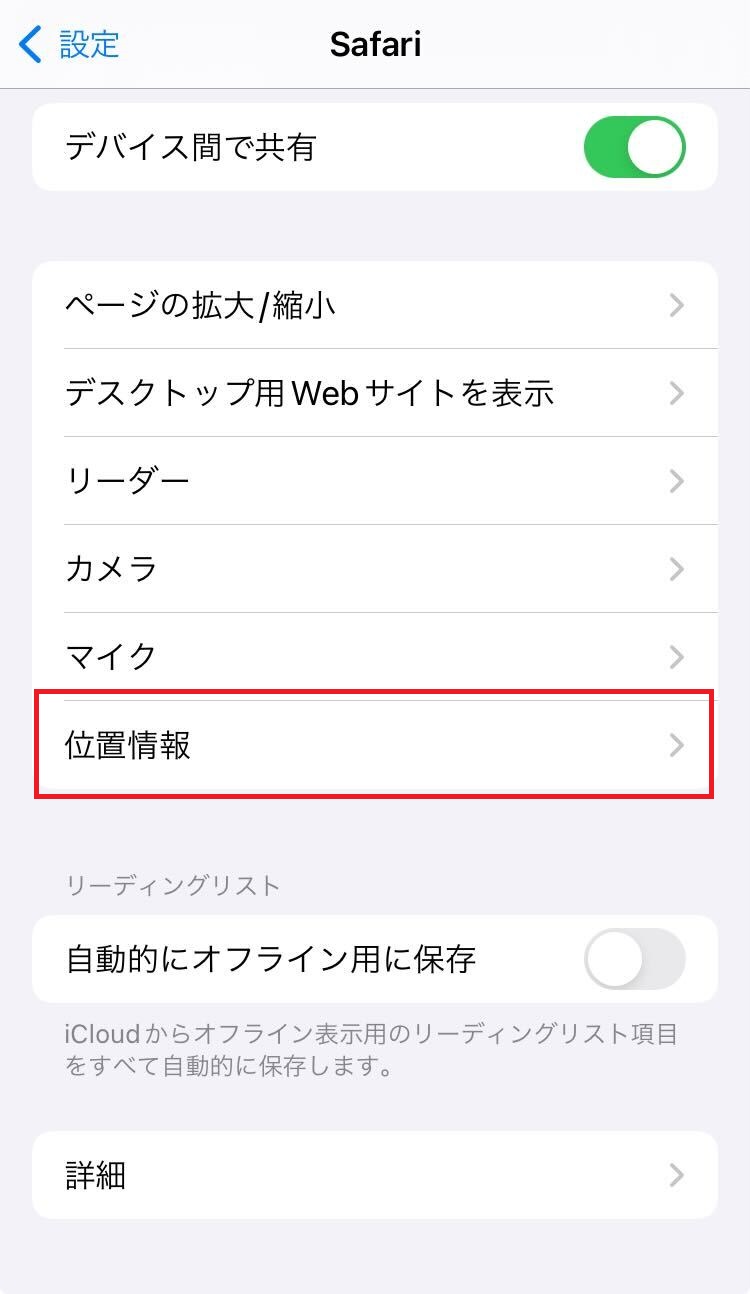
-
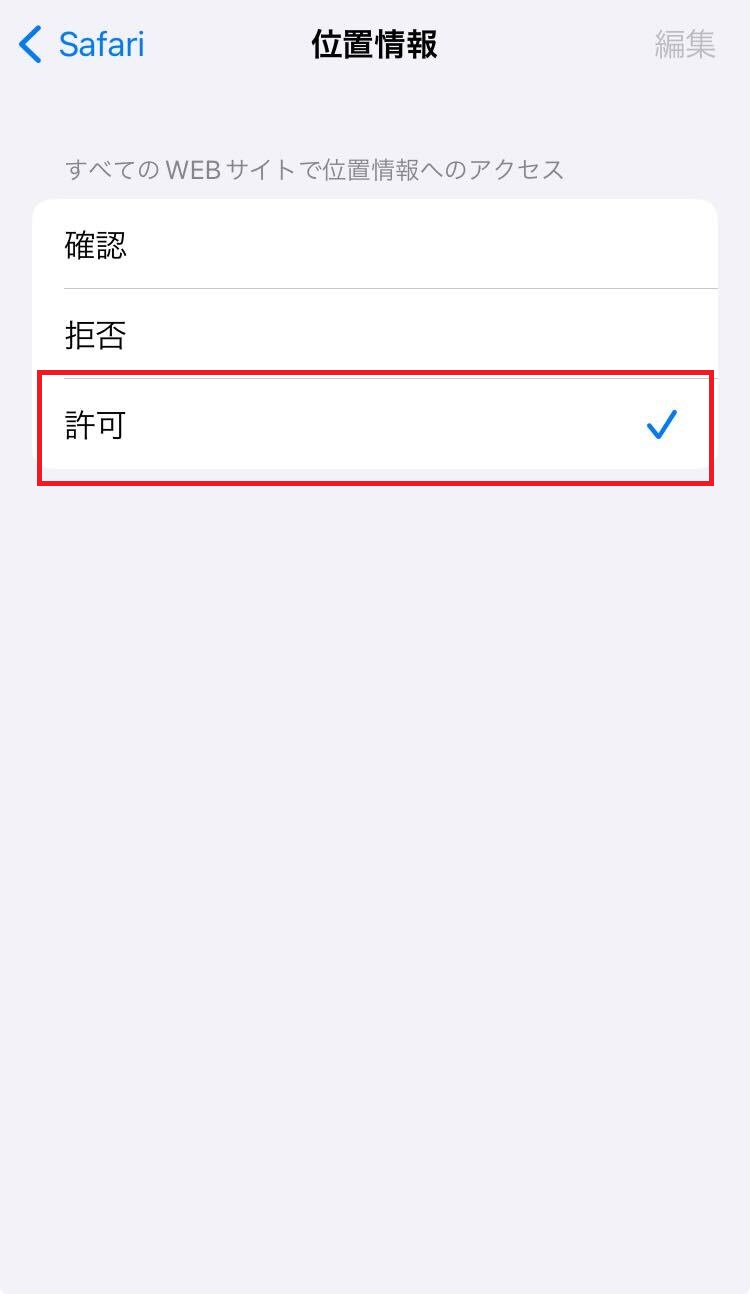
Step 2 (Swipe the image to the right)
-
Android users
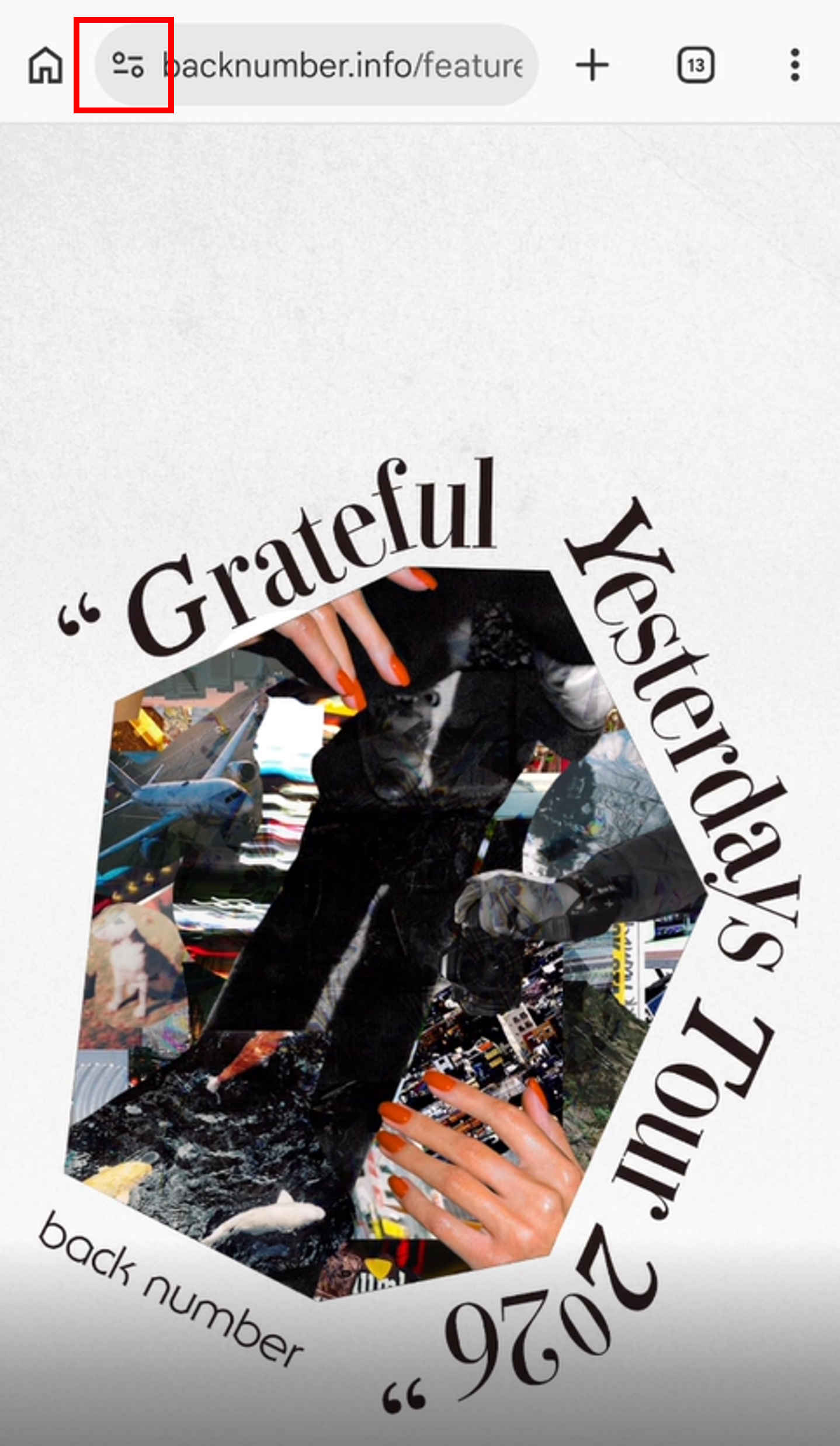
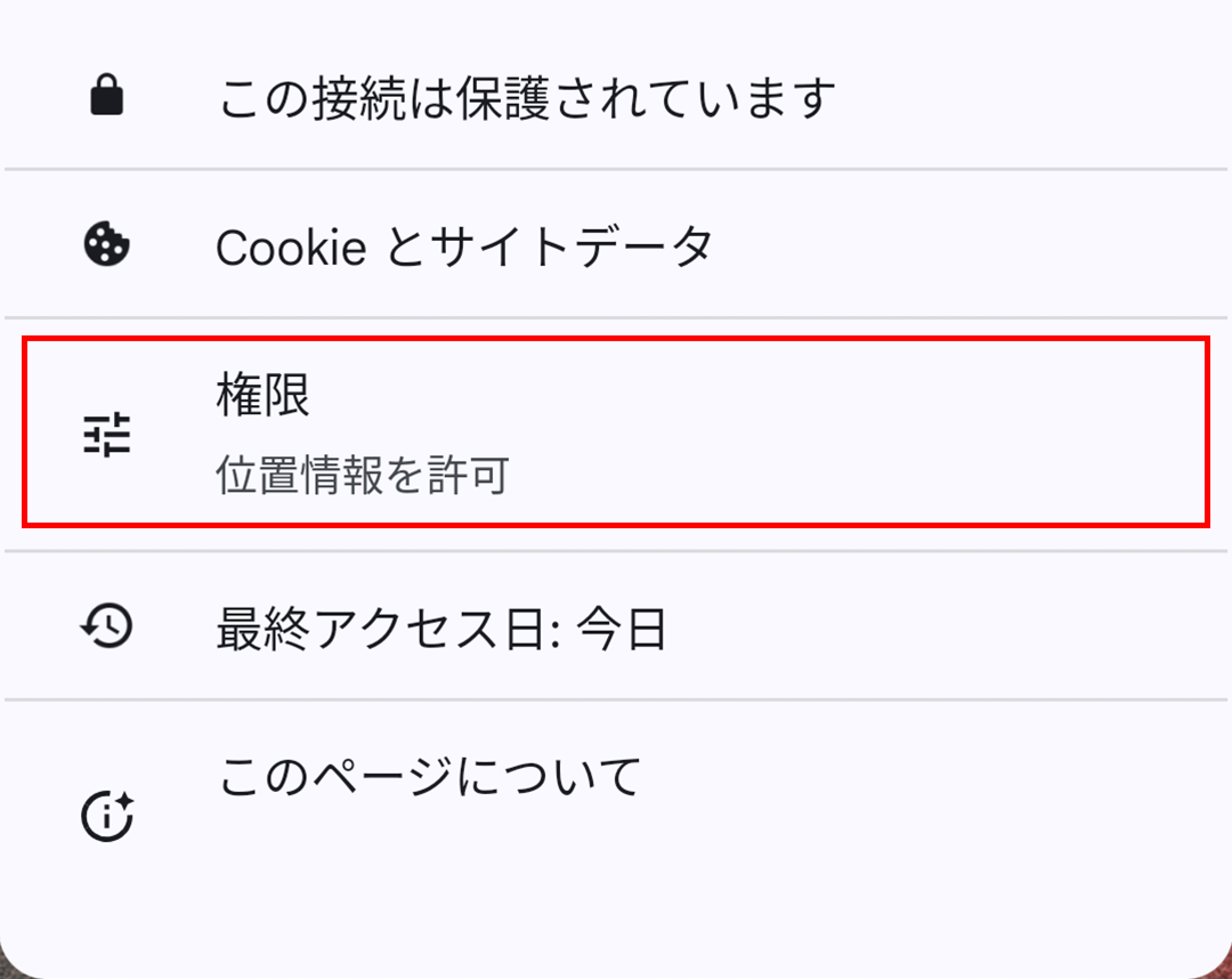
Step 1
On Android devices, be sure to access the settings screen and turn on GPS. In many cases, the settings may not be completed if you only access them through a browser.
- 1. Go to [Settings] → [Location & Security]
- 2. Check the [Turn on GPS function] checkbox.
- 3. Open your browser and access MENU key → [Settings].
- 4. Go to [Privacy and Security] and check the [Enable Location Services] checkbox.
- *Item names and procedures may vary depending on the device.
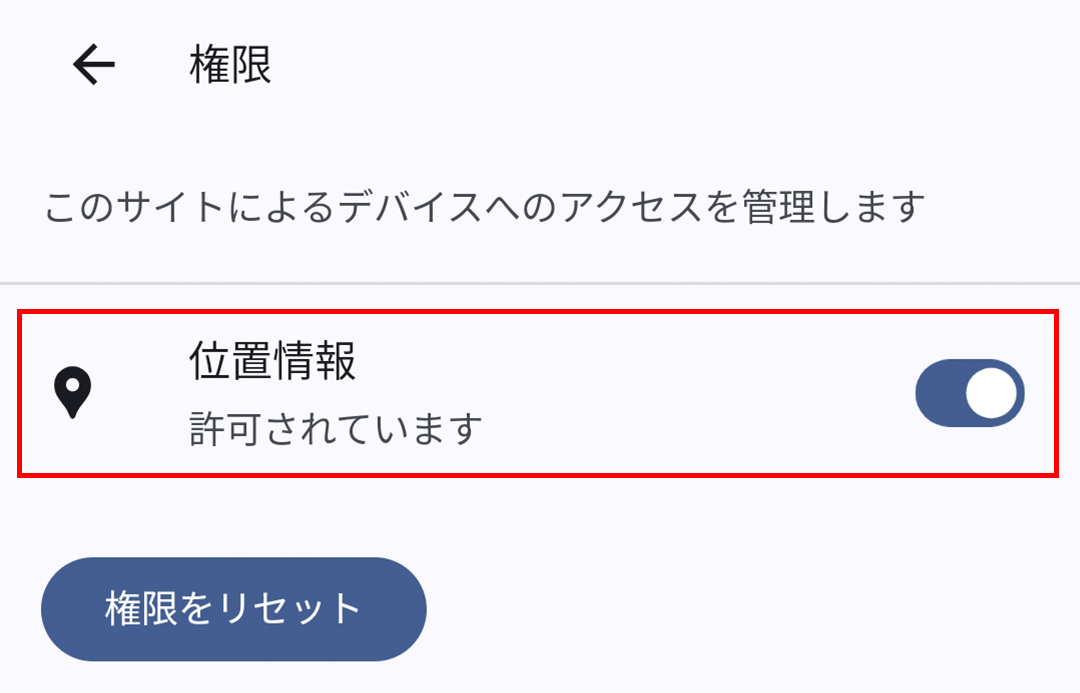
- *If you are unable to check in even though location services are turned ON in "Security & Privacy," please check if it is set to [Settings > Chrome > Location > Allow, While Using the App].
- *If you are using a QR code reader app to scan the code, please be sure to reopen the app in your browser using the in-app menu before drawing your lottery ticket.
-
Step 2 (Swipe the image to the right)
-
- *For users of Android smartphones, there may be cases where the service does not function correctly when using Google Chrome on some devices. Please try the following:
- Update Google Chrome to the latest version.
- Access using a browser other than Google Chrome, such as Firefox - *If you still experience errors after trying the two points above, please come to the FC booth.
- *In-app browsers (Yahoo JAPAN app/Google app, etc.) and "Samsung Browser" are not guaranteed to work.
- *For users of Android smartphones, there may be cases where the service does not function correctly when using Google Chrome on some devices. Please try the following:
- ● This event is for one room members only. (You can also participate if you become a member on the day of the performance.)
- ●Please ensure that your GPS (location information notification) function is turned on before participating.
- ● Please check here for one room lottery period.
- ● one room lottery can only be played within approximately 10km of each venue. (Even if you have checked in once, you will not be able to access the page if you move outside the designated area.)
- ●Due to the expected heavy crowds on the day of the performance, the venue's signal may become unstable. We kindly ask for your cooperation in completing the lottery before arriving at the venue.
The message "You are outside the check-in area. Please approach the relevant area" is displayed.
This message appears if you are accessing from outside the GPS range. Please try again from within approximately 10km of the venue.
"Location information could not be obtained" is displayed.
This message appears when you try to access the site with your GPS turned off. Please make sure your GPS is turned on and try again.
I can't check in even though I have location services turned on.
- 1. [If location information is enabled only in the browser]
Please check not only your browser's location settings, but also your device's settings screen to make sure that the GPS function is turned on. - 2. [If you cannot check in even though the device settings are enabled]
Your browser may not be supported. Please try again with another browser. - 3. [If you are unable to check in after trying the above methods]
If your device's software is not up to date, you may not be able to check in properly. Please update your software and OS from your device's settings screen and try again.