

calendar appli
Don't miss out on artist schedules and media appearances!
What is a calendar app?
-
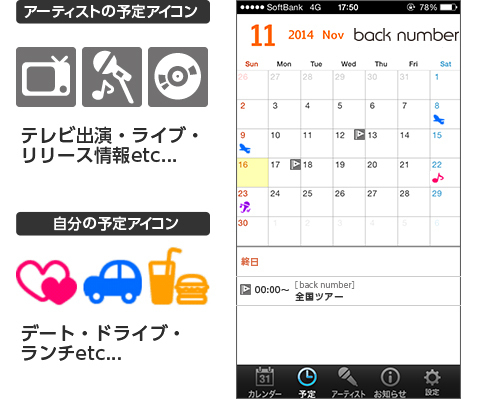
Check artist schedules and your own schedule all on one calendar!
-
Customize your calendar skin!
You can download and set artist calendar skins. From the bottom menu, go to "Settings" → "Change Skin" and select your preferred skin image.
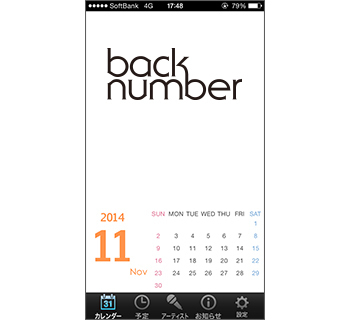
*A paid one room membership is required to download the calendar skin.
-
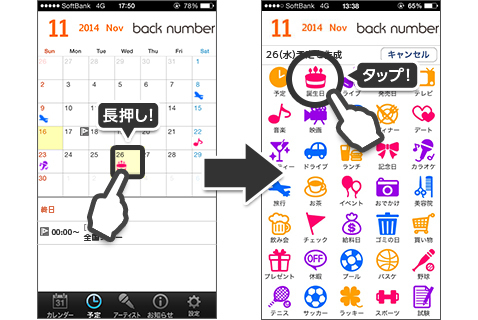
Long-press the date to easily create an event from the icon!
Selecting "Schedule" from the bottom menu allows you to view your schedule on a monthly basis. Long-pressing a date you want to add an appointment to will create a new appointment. Tapping a date on the calendar, or tapping the appointment area, will display a list of appointments for that day.
-
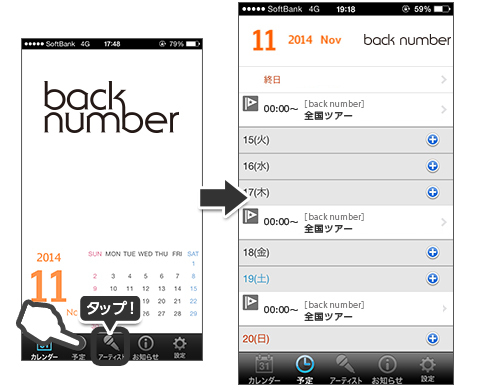
Check back number 's schedule on the calendar!
Selecting "Artists" from the bottom menu allows you to view schedules for specific artists. Tapping a date on the calendar or tapping the schedule area will display a list of events for that day.
Artist schedule icon

- Artist's birthday

- Release Information

- TV appearance information

- Live Information

- Event Information

- Radio appearance information

- Media Information

- Magazine Information

- If you have multiple appointments

- Other Information
Installing the calendar app
To use this app, you will need to launch the app from this page the first time you use it and log in with your "one room" account.
-
STEP 1
Register as a member of "one room"
-
STEP 3
Tap the "Launch App" button, and after the app launches, enter your "one room" membership number (Plus member ID (formerly EMTG ID) or email address) and password.
*Steps 1 to 3 only need to be performed the first time you launch the app. If you log in in step 3, you can use the service by simply launching the app from the next time onwards.
*Regarding login in STEP 3, if you are already logged in to another app on this site, you do not need to log in. After installing the app, you can simply launch the app and start using it.
Note
Please be aware that uninstalling the app, deleting data, or changing devices will also delete any content you have downloaded up to that point.